

A Minecraft Copper Golem guide can help you turn scattered storage into a simple, living item-sorting system. You can create a Copper Golem to move items from Copper Chests into nearby empty chests or chests that hold the same item type. This makes the golem useful for farms, workshops, and bases where you want to organize supplies without sorting every stack by hand.
Your golem searches regular and Trapped Chests, but it also changes over time as its copper oxidizes. Wax keeps it active, while unwaxed oxidation eventually turns it into a decorative Copper Golem Statue. With the right chest layout and regular maintenance, you can build a storage setup that looks great and helps keep your items organized.
Key Takeaways
- Create a Copper Golem in Java Edition 1.21.9 or Bedrock Edition 1.21.111 by placing a Carved Pumpkin or Jack o’Lantern on a Copper Block, then provide open space and nearby chests for it to work effectively.
- Use a Copper Chest as the input point; the golem moves items into nearby regular or Trapped Chests that are empty or already contain the same item type. Group and label destination chests to make sorting more predictable.
- Wax the golem with honeycomb to prevent oxidation and preserve its sorting ability. An unwaxed golem eventually becomes a decorative Copper Golem Statue and stops moving items.
- Copper Golems provide simple, flexible storage automation for bases, farms, and workshops, but hopper-based redstone systems remain faster and more precise for large warehouses or exact item filtering.
Introduction to the Minecraft Copper Golem
The Copper Golem is a player-created utility mob added in The Copper Age game drop for Minecraft Java Edition 1.21.9 and Bedrock Edition 1.21.111. You create one by placing a Carved Pumpkin or Jack o’Lantern on top of a Copper Block. Once it comes to life, it can move items from Copper Chests and search nearby regular or Trapped Chests for items to sort. This makes the golem a useful option when you want simple storage automation without building a large redstone system.
In this Minecraft Copper Golem guide, you will learn how to create the golem, prepare Copper Chests, and design storage setups that fit your base. The golem places items into empty chests or chests that already contain the same item type, so labeled or dedicated storage can make sorting more reliable. You will also learn how oxidation changes the golem over time and how waxing can prevent that change. These details help you choose where to keep your golems and how to stop them from becoming Copper Golem Statues.
You can use Copper Golems to organize mining drops, farming materials, or items collected near your workshop. A Copper Chest can serve as an input point, while nearby chests hold blocks, ores, food, or other supplies the golem recognizes. This guide covers practical layouts and golem behavior in both Java and Bedrock Edition, so you can build a setup that works in your world. With the right storage plan, the Copper Golem offers a friendly, flexible alternative to more complex item-sorting systems.
Building a Copper Golem
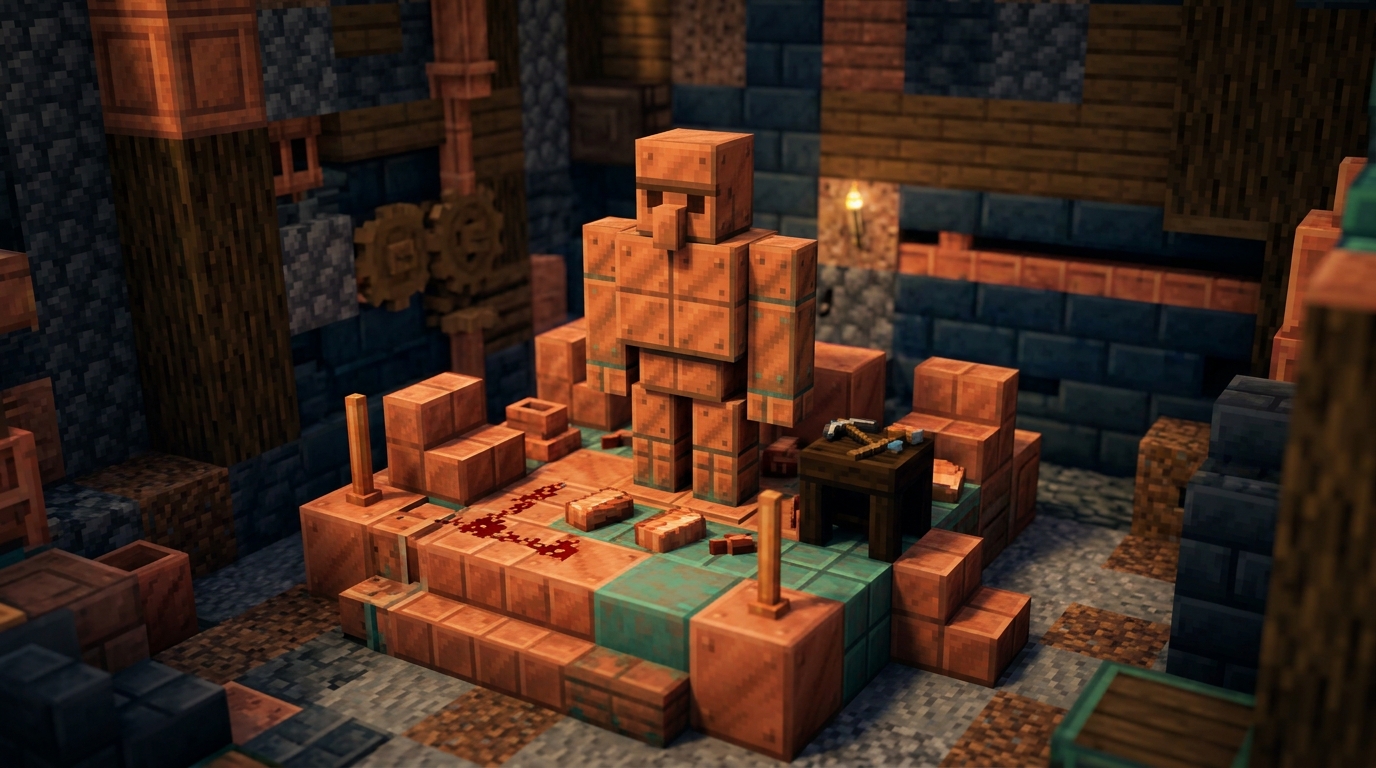
Start with one Copper Block in the spot where you want your storage helper to work. Place a Carved Pumpkin or Jack o’Lantern directly on top of the Copper Block to create a Copper Chest and a Copper Golem. Make sure you are playing Java Edition 1.21.9 or Bedrock Edition 1.21.111, because the Copper Golem is available in these versions. Leave enough open space around the build so the golem can move between nearby chests.
Once it comes to life, the Copper Golem takes items from Copper Chests and searches nearby regular Chests and Trapped Chests. It places items into an empty chest or a chest that already contains the same item type, helping you sort basic storage without a large hopper system. For example, you can place cobblestone, seeds, and iron in a Copper Chest, then let the golem move those items into matching storage chests nearby. Keep the chests close together so the golem can reach them easily.
Your Copper Golem also changes as time passes because it slowly oxidizes. You can use honeycomb to wax it and prevent further oxidation, while an unwaxed golem eventually becomes a decorative Copper Golem Statue. Build the storage area near your farms, mines, or workshop to make its item-sorting feature useful during regular gameplay. A clear, compact layout gives the golem room to walk and makes it easier for you to expand the storage system later.
Copper Golem Item Sorting
Place a Copper Chest near your storage area, and the Copper Golem will take items from it when it has something to sort. It searches nearby regular Chests and Trapped Chests for a suitable destination. The golem can place an item in an empty chest or add it to a chest that already contains the same item type. This gives you a simple way to move loot without sorting every stack by hand. Keep your storage chests close together so the golem can find them easily.
For example, use one empty chest for cobblestone, one for wood, and one for food. When you put cobblestone, logs, and bread into the Copper Chest, the golem carries each item to the matching chest. It places cobblestone with other cobblestone, wood with other wood, and food with other food. If a matching chest is full, make sure another suitable chest is available nearby. You can also use Trapped Chests as sorting destinations, giving you more options for organizing your base.
Oxidation, Waxing, and Statues
Your Copper Golem oxidizes over time, changing from its bright copper color to weathered and then fully oxidized copper. This process happens naturally while the golem works around your storage area. Once oxidation is complete, the golem becomes a decorative Copper Golem Statue and stops sorting items. You can still use the statue as a colorful decoration in your base, but it will no longer take items from Copper Chests or move them into nearby chests. Watch its appearance if you want the golem to remain an active part of your storage system.
Honeycomb lets you wax a Copper Golem and prevent further oxidation. Hold honeycomb and use it on the golem before it reaches the final stage, especially if you want to preserve its current color and sorting ability. A waxed golem continues taking items from Copper Chests and placing them into empty chests or chests that already contain the same item type. If you leave the golem unwaxed, check it regularly so you can wax it before it becomes a statue. This simple step helps you keep an active item sorter while preserving the copper look you prefer.
Copper Golem Storage Builds
Place a Copper Chest beside your Copper Golem to create a simple drop-off point for your storage area. When you put items into the Copper Chest, the golem searches nearby regular Chests and Trapped Chests, then places each item into an empty chest or one that already holds the same item type. Keep your destination chests within the golem’s search range, and use clear labels such as Blocks, Food, and Ores so the layout stays easy to understand. A small group of nearby chests works better than scattering storage across several rooms.
This setup is useful for early-game organization because you can expand it without building a redstone machine. The golem moves items more casually and slowly than a hopper system, but it can save you time after mining trips or while exploring. Hopper-based redstone sorters are faster and more precise because filters can send exact items into dedicated containers. Choose the golem when you want a simple, flexible storage corner, and choose hoppers when speed and exact sorting matter.
Crowded storage rooms can make the setup less predictable because the golem may find several valid chests within its search range. If different item types share many nearby containers, items may not end up where you expect, especially compared with a carefully filtered hopper sorter. Leave clear space around the Copper Chest, keep related destination chests together, and avoid placing unrelated storage in the same area. For large warehouses or fully automated farms, use redstone sorting and let the Copper Golem handle a smaller, more casual collection station.
Conclusion for Minecraft Copper Golem Guide

Create your Copper Golem by placing a Carved Pumpkin on top of a Copper Block, then give it a useful storage area to manage. Load mixed items into a Copper Chest, and the golem will carry them to nearby regular Chests or Trapped Chests that are empty or already contain the same item type. You can guide its behavior by arranging separate destination chests for blocks, food, tools, or building materials, which makes your storage room easier to use. For example, a chest containing cobblestone can receive more cobblestone, while an empty chest can accept a new item type.
Protect your golem from oxidation by using honeycomb to wax it before its appearance changes and it becomes a statue. A practical setup includes one Copper Chest for incoming items, several labeled destination chests nearby, and enough open space for the golem to move between them. This system gives you simple organization without a large redstone build, but it does not offer the exact item filters and precise control needed for advanced sorting machines. For that reason, the Copper Golem is an excellent choice for early-game automation and basic storage organization rather than highly precise redstone sorting.
Use Copper Golems to Sort Items
The Copper Golem gives you a flexible way to move items between nearby storage blocks without building a large hopper system. After you create one, it takes items from Copper Chests, searches nearby regular Chests and Trapped Chests, and places each item into an empty chest or one holding the same item type. You can use it to sort materials such as cobblestone, wood, or iron into separate storage areas. Keep the relevant chests close together and give each chest a clear purpose for more reliable organization.
Remember that the Copper Golem oxidizes over time, so its appearance changes as it ages. If you let it oxidize completely, it becomes a decorative Copper Golem Statue and stops moving items. Wax the golem to preserve its current state, and use an axe if you want to remove oxidation. With careful chest placement and regular maintenance, your golem can add useful item sorting to your base while giving your storage room a distinct Minecraft style.