
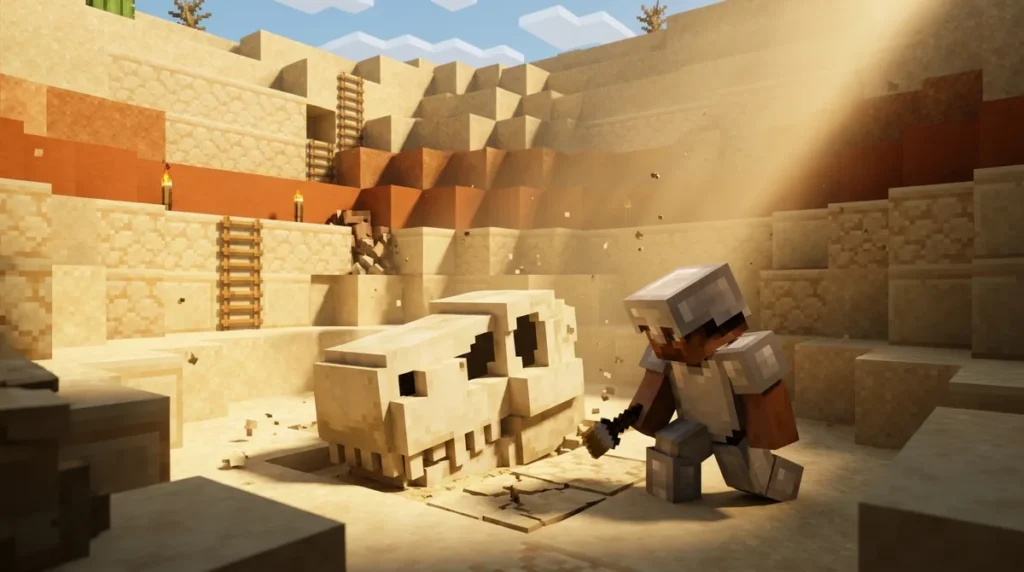
Minecraft fossils come in two types, and knowing which one you’re hunting saves you a lot of digging. Overworld fossils hide underground in deserts, swamps, and mangrove swamps. Each chunk gets two generation attempts, and each attempt has only a 1-in-64 chance of succeeding, so these finds are rare. One attempt uses the Y=0 to Y=320 range and the other uses Y=-63 to Y=-8, so check both layers as you tunnel.
Nether fossils are the easier catch. You’ll find them uncovered in Soul Sand Valleys, built from 5 to 27 bone blocks with no coal or diamond ore mixed in, so a bone formation in the open stands out fast. Keep an eye out for dried ghasts too, since about 1 in 3 Nether fossils have one generating right beside them.
Key Takeaways
- Overworld fossils hide inside the stone in deserts, swamps, and mangrove swamps, so you need to dig down into that stone to find them instead of searching the sand or mud on the surface.
- Each chunk gets two generation attempts for Overworld fossils, and each attempt has only a 1-in-64 chance of succeeding, so you should check both the Y=0 to Y=320 layer and the Y=-63 to Y=-8 layer as you tunnel.
- Nether fossils lie uncovered on the floor of Soul Sand Valley biomes, so you can spot their bone shapes from a fair distance without digging, and about 1 in 3 Nether fossils have a dried ghast generating right beside them.
- Overworld fossil bone blocks can be swapped for coal ore above Y=0 or diamond ore below Y=-8, so you should take a closer look whenever a coal or diamond block sits inside a bone-shaped pattern.
- Nether fossils never have ore mixed in, so you can be sure any coal or diamond you find in a Soul Sand Valley is regular ore rather than part of a fossil.
Where Do Overworld Fossils Generate?
Overworld fossils hide underground in deserts, swamps, and mangrove swamps, so you won’t find one by walking across the sand or wading through the mud. They generate inside the stone layers, which means you have to dig into the world to see one. If you’re searching from the surface, you’re looking in the wrong place.
Each fossil takes one of two forms, a skull or a spine, and each form has four variants. That gives you eight possible shapes to recognize once you break into a cave.
Most of the fossil is made of bone blocks, but the ore layer can swap some of them out. Above Y=0, the replacements are coal ore. Below Y=-8, they’re diamond ore, and in the deeper part of that range, you might find deepslate diamond ore instead. A single fossil can be part bone and part ore, so a patch of coal or diamond sitting in a bone-shaped pattern is worth a closer look.
The bone layer isn’t perfectly complete either. It generates at 0.9 structure integrity, so roughly 10% of its bone blocks are left out. You’ll usually see gaps and broken edges rather than a neat, full skeleton.
For your first search, start at the edge of a desert, swamp, or mangrove swamp and dig straight down into the stone. Follow cave walls and mining tunnels, and scan the rock faces as you go. Bone blocks poking out of stone are your clearest sign. Keep your torches handy, because the shapes are easy to miss in dim tunnels.
How Do You Spot an Overworld Fossil in Caves?
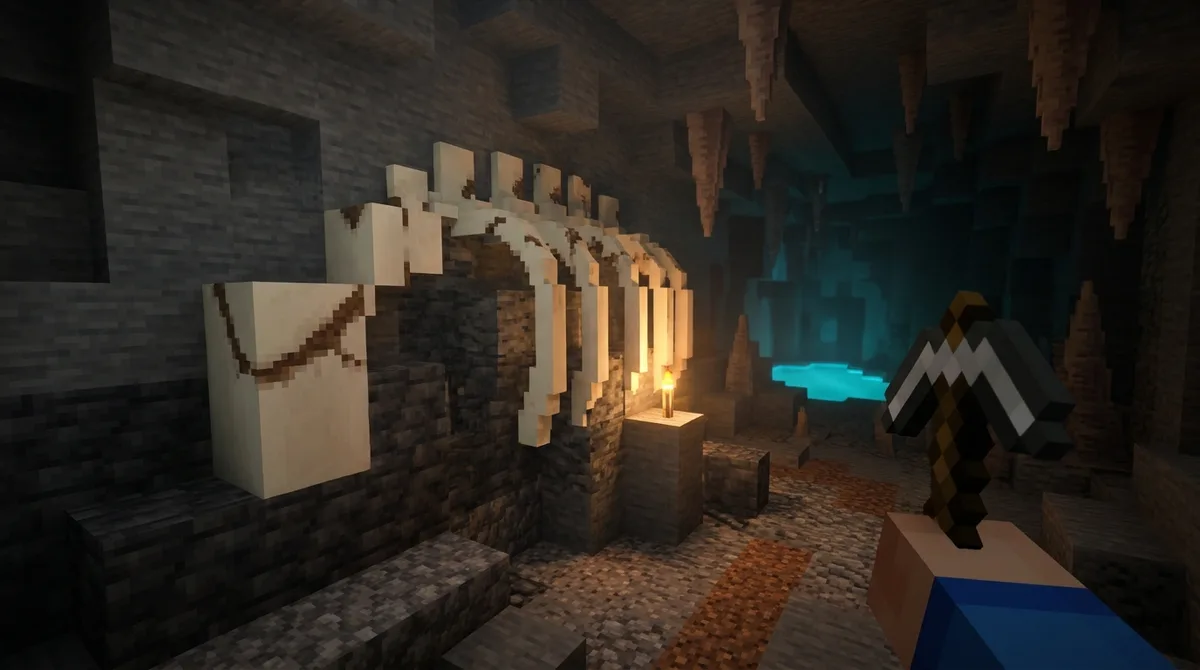
You can spot an Overworld fossil in a cave by looking for pale bone blocks arranged in a skull or spine shape instead of plain stone. Bone blocks are off-white, so they stand out against the grey rock around them.
The skull form looks like a rounded head with jaws and empty eye sockets. The spine form looks like a long, curving line of vertebrae running through the stone. Each form has four variants, so no two fossils look exactly alike, but the overall outline stays easy to read once you know what to look for.
Expect gaps. The bone layer generates at 0.9 structure integrity, so a fossil is never fully complete. A missing chunk along a spine or a hole in a skull is normal, so don’t dismiss a broken outline as random bone scattered in the rock.
Ore is your second clue. Some of the fossil’s blocks can be replaced by ore, and which ore you see depends on your height:
- Coal ore replaces fossil blocks above Y=0.
- Diamond ore replaces fossil blocks below Y=-8.
- Deepslate diamond ore can appear in the deeper part of that range.
So if you spot a bone curve with a coal or diamond block tucked inside it, you’re almost certainly looking at a fossil. A lone ore vein in plain stone is just an ore vein. The bone outline is what turns it into a fossil.
When you’re tunneling, scan the ceilings and side walls as well as the floor. Fossils can sit at any angle in the stone, and a spine running across a wall is easy to miss if you only look ahead. Light up dark corners as you go so the pale bone shows clearly.
Do Fossils Need Structures Turned On?
No, you don’t need Generate Structures turned on to find Overworld fossils. They are world-generation features rather than structures, so they still appear when that option is off. Generate Structures controls things like villages and temples, and fossils don’t depend on it. You can skip that setting entirely when you plan a hunt.
If you’ve been digging and coming up empty, the problem is almost always your location, not your world settings. Start by checking the biome you’re standing in. Fossils only generate in deserts, swamps, and mangrove swamps, so a long tunnel through a plains or jungle area won’t turn one up. In Java Edition, press F3 to see your current biome on the debug screen.
Next, check your depth. Even inside the right biome, a fossil only shows up in the stone layers, so tunnels cut across the sand or mud won’t reveal anything. Dig down through the stone beneath the biome instead, and pause at each height band to scan the walls.
Work one chunk at a time rather than racing across the map. Walk the edge of a desert or swamp, drop into the stone, and check every cave you pass. Ravines and large open caverns are especially good stops, because their walls expose more rock at once. Spend a few minutes on each cluster of stone before you move on.
Where Are Nether Fossils in Soul Sand Valleys?
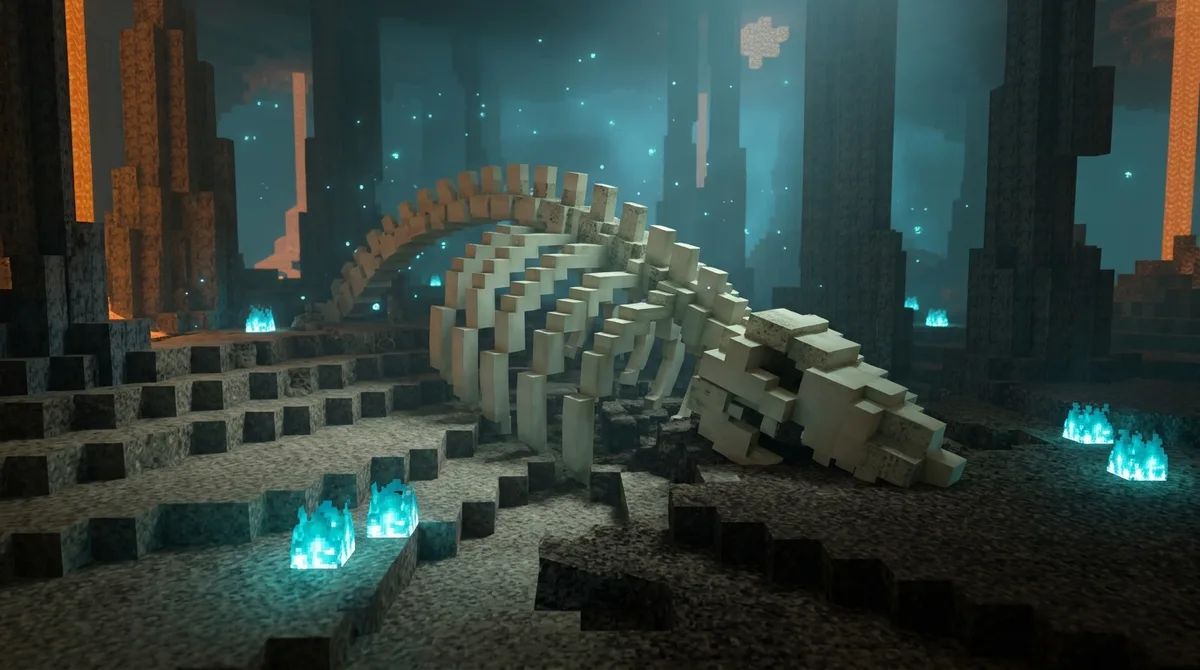
You’ll find Nether fossils lying uncovered on the floor of Soul Sand Valley biomes, so you can spot them without digging into rock. Soul Sand Valleys are eerie, blue-lit valleys with soul sand and soul soil underfoot, and the fossils rest right on that surface.
Because they sit in the open, Nether fossils are much easier to find than their Overworld cousins. There’s no stone to tunnel through and no hidden ore to search for. Every block in a Nether fossil is bone, so the pale shape stands out against the brownish soul sand from a fair distance.
Each Nether fossil is built from 5 to 27 bone blocks, so some are small scatterings and others are long, sprawling shapes. There are 14 variants in total, so the outline changes a lot from one fossil to the next. The Minecraft Wiki’s Nether fossil page lists the variants if you want to know what you’re looking for.
Nether fossils were added in Java Edition 1.16 and Bedrock Edition 1.16.0. If you’re playing on an older version, update before you start searching, or you won’t see them at all.
For your first trip, walk slowly along the valley floor instead of sprinting. Scan the ground ahead and to each side, and look for off-white bone against the darker sand. Once you spot one, circle it to check the full shape, since a fossil can stretch further than it first appears. Keep your inventory stocked with food and torches, because Soul Sand Valleys can be dangerous, and fire on the soul soil can catch you off guard.
Can Dried Ghasts Appear Near Nether Fossils?
Yes, dried ghasts can appear right next to Nether fossils. Each Nether fossil has about a 1-in-3 chance of having one generate beside it. Since fossils sit uncovered on the Soul Sand Valley floor, you’ll often spot the bone shape and the dried ghast at the same time.
The Java 1.21.6 update, released in 2025, added dried ghasts to Nether Fossil structures. Before that, a fossil was just its bone blocks on the sand. Now the dried ghast is part of the setup, so a fossil’s surroundings are worth checking every time.
When you find a Nether fossil, look around its edges before moving on. The dried ghast generates adjacent to the fossil, so it may sit just beyond the bone outline rather than in the middle of it. Walk slowly around the whole formation, and check the sand at the ends of long spines and beside any bone block that sticks out from the rest. This takes only a minute, and it’s the easiest way to avoid walking right past a dried ghast.
Planning Your Next Fossil Hunt
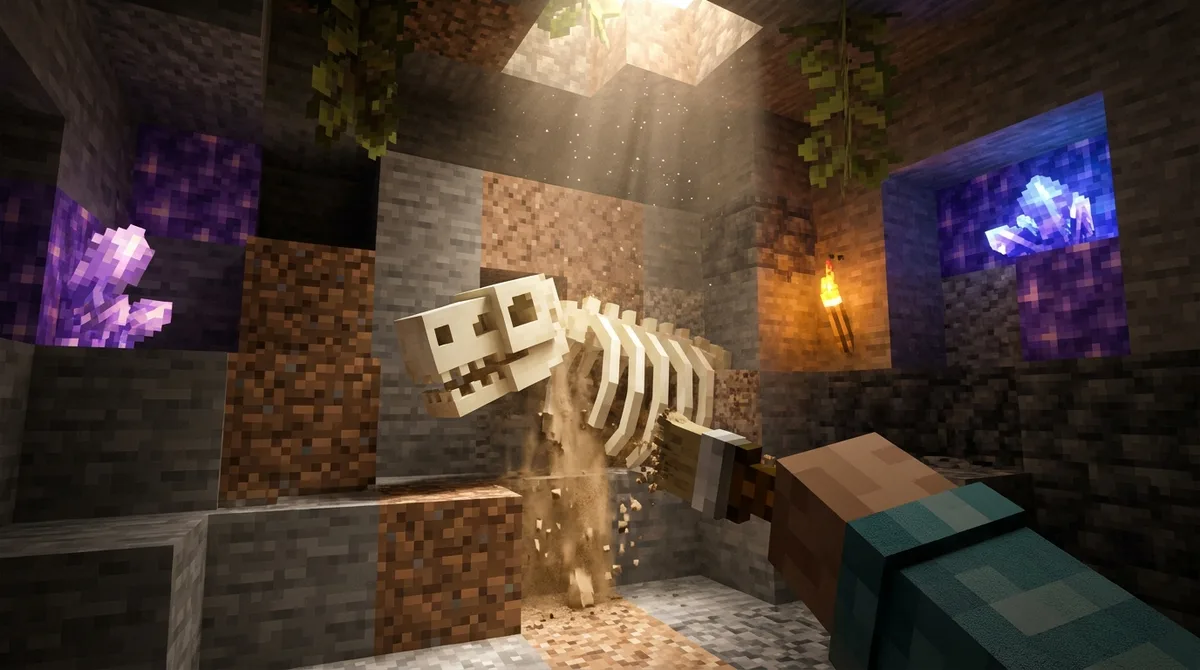
Your first stop should be the edge of a desert, swamp, or mangrove swamp, where the sand or mud gives way to stone. Here’s a route you can follow on your next trip:
- Pick the nearest desert, swamp, or mangrove swamp and dig into the stone at its edge.
- Follow caves and mining tunnels, scanning walls and ceilings for pale bone blocks poking out of the rock.
- When you spot a bone shape with coal or diamond ore tucked inside, mine around it to reveal the full outline.
- If the Overworld turns up nothing after a good sweep, head to the nearest Soul Sand Valley and walk its floor slowly.
- Circle each Nether fossil and check its edges for a dried ghast before you move on.
Telling fossil ore from regular ore comes down to what surrounds it. A coal or diamond block sitting alone in plain stone is just ordinary ore, but the same block wrapped in a curve of bone blocks belongs to a fossil. Nether fossils never have ore mixed in, so any coal or diamond you find in a Soul Sand Valley is regular ore.
If a search comes up empty, don’t keep digging the same stretch of stone. Move to another desert, swamp, or mangrove swamp and start fresh, because each chunk gets its own generation attempts.
Planning Your Next Fossil Hunt
Pick one biome for your next session and commit to it. A desert gives you wide, open ground to search, while a swamp or mangrove swamp puts you near water and plenty of stone to dig through. Choose whichever is closest to your base so you spend your time searching instead of traveling.
Once you arrive, dig a shaft straight down and work the two height bands separately. Scan the upper band from Y=0 up toward Y=320, then drop to Y=-8 and scan the lower band down to Y=-63. Stop at each level and check every wall you can see before you keep digging.
Each chunk gets only two generation attempts, so it helps to track where you’ve already looked. Jot down the coordinates of each chunk you’ve searched in a notebook or on a sign at your base. That way you won’t waste an hour re-digging the same stone.
If the Overworld gives you nothing after a thorough sweep, head to the nearest Soul Sand Valley. Walk its floor slowly, check the edges of any fossil you find for a dried ghast, and you’ll have covered both fossil types in one trip.