
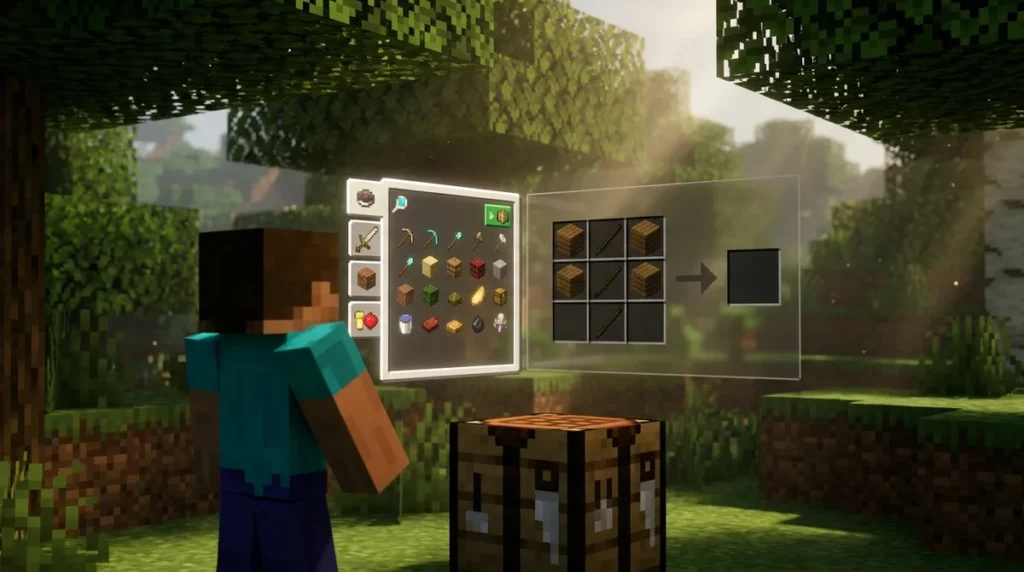
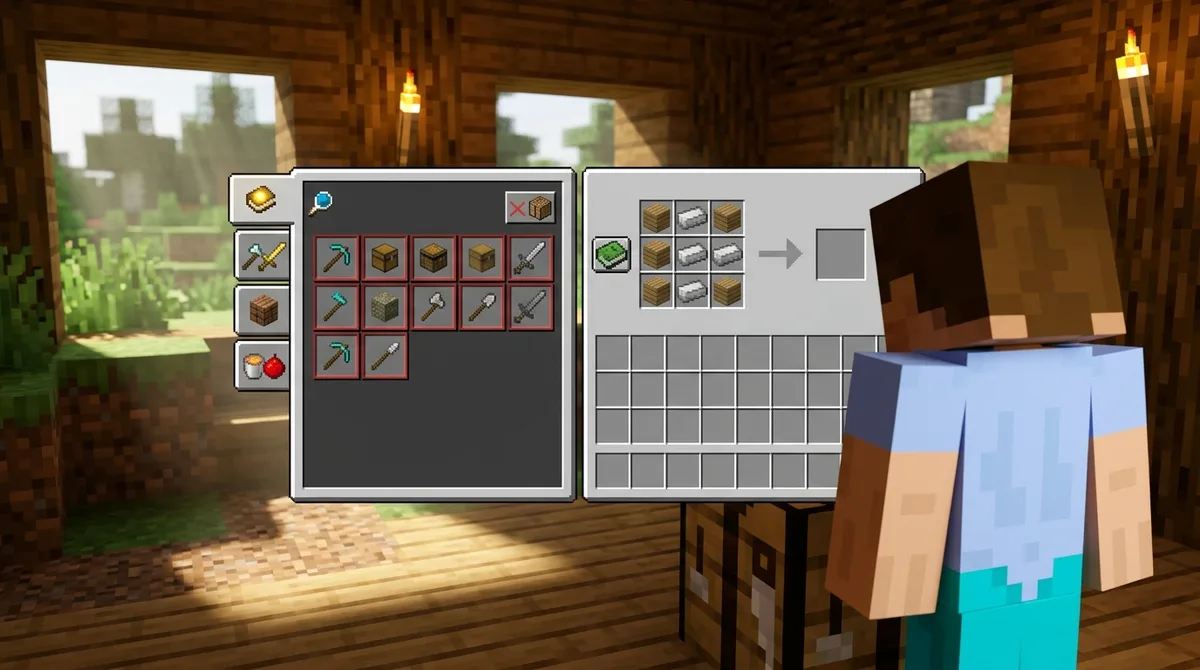
The Minecraft recipe book is an in-game catalog that lists the recipes you can craft. It works on both Java Edition and Bedrock Edition. Open it from your inventory or a crafting table screen, search or browse for an item, and select a recipe to see its ingredients. Any materials you are missing show up highlighted in red, so you know what to gather next.
The layout differs between versions. Java Edition has five crafting tabs, including an all-recipes tab and separate categories for tools and combat, building, other items, and redstone. Bedrock Edition uses five tabs called Construction, Equipment, Items, Nature, and All. Recipes unlock as you meet their conditions. The recipe book first arrived in Java Edition in 2017, during the 1.12 development cycle.
Key Takeaways
- Open the recipe book from your inventory or a crafting table screen, then type an item name like “iron pickaxe” into the search box to find it fast.
- Look for ingredients highlighted in red in the recipe panel, since those show exactly which materials you still need to gather before you craft.
- Turn off the Show craftable filter in the Java Edition recipe book when you want the full catalog and need to plan ahead for recipes you cannot make yet.
- Check your edition before you follow a guide, because Java Edition has a Redstone tab that does not exist on Bedrock Edition, which uses Construction, Equipment, Items, Nature, and All.
- If an unlocked recipe will not craft on Bedrock Edition, check the recipesunlock and dolimitedcrafting game rules in your world settings.
How Do You Open the Recipe Book?
Open the recipe book from your inventory or crafting table screen, and it appears as a catalog of the recipes you have unlocked so far. It is not a separate menu, so you only need the screens you already use to craft.
Your inventory has a 2×2 crafting grid, which handles simple recipes like planks and sticks. Larger recipes, such as a chest or an iron pickaxe, need the 3×3 grid on a crafting table. Place one in the world and right-click it before you start.
Use these steps to find and craft an item with the recipe book:
- Press E to open your inventory, or open a crafting table you have placed.
- Click the book button beside the crafting grid to open the recipe book.
- Type an item name into the search box, or click a category tab to browse, such as Tools and Combat in Java Edition or Equipment in Bedrock Edition.
- Click the recipe you want, and its ingredients appear in the panel.
- Look for any ingredients highlighted in red, since those are the materials you still need to gather.
- Place your ingredients in the crafting grid in the shape the recipe shows, then take the finished item from the output slot.
Take your time with the search box if you have dozens of unlocked recipes. Typing “pickaxe” is much faster than scrolling through every tab. The red ingredients tell you exactly which blocks or items to mine or trade for before you return to the table.
How Java and Bedrock Recipe Books Differ
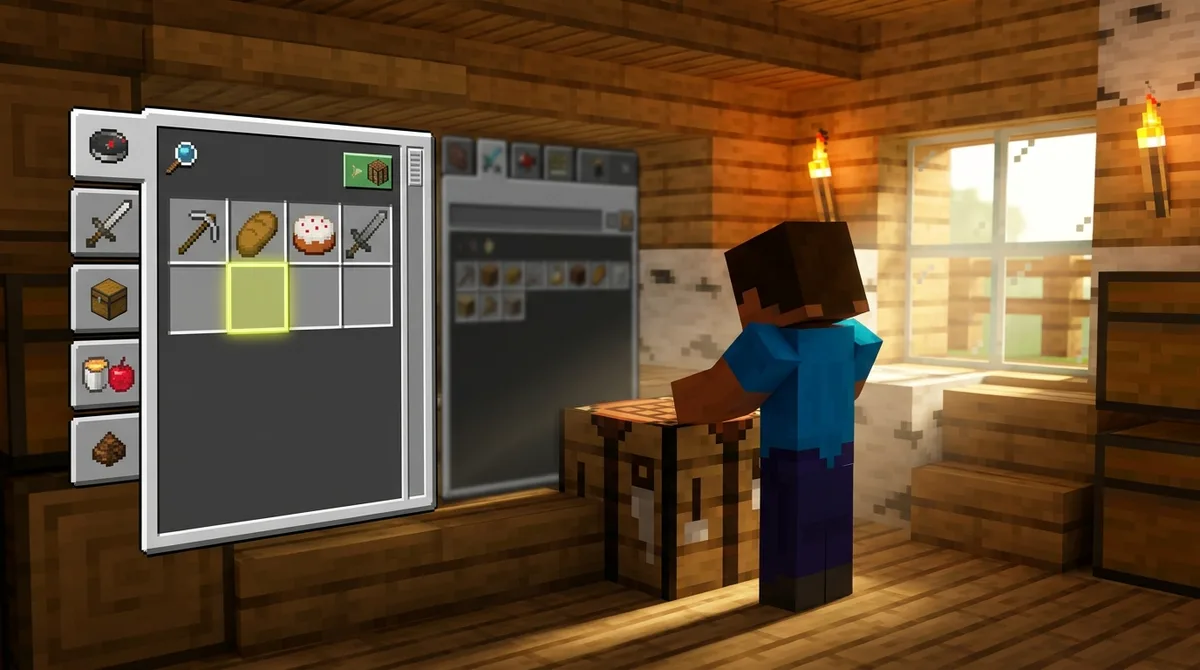
Java Edition’s recipe book includes a Show craftable filter. When it is on, the book hides any recipe you lack the inventory materials for, so the list shrinks to what you can make right now. Switch it off when you want the full catalog and need to plan ahead.
Java also keeps its tab bar tidy. A category tab disappears when you have no known recipes in that category, so a fresh world may show only a few tabs. The search tab never hides, so you can always type an item name, even when the category tabs are gone.
Bedrock Edition uses a different set of labels. Its five tabs are Construction, Equipment, Items, Nature, and All, and none of them match Java’s tab names one for one. If a Java guide tells you to open a tab called Redstone, you will not find that label on Bedrock.
Both editions have an All tab, but the surrounding tabs differ. On Java, the all-recipes tab sits beside the tools and combat, building, other items, and redstone categories. On Bedrock, the All tab sits beside Construction, Equipment, Items, and Nature, so the same item may be filed under a different name.
When you follow a step-by-step guide, check which edition it covers before you click anything. If the tab names do not match, open the All tab or search for the item by name. Searching works in both editions, so it is the quickest way to find a recipe when the layout is not what the guide describes.
How Do Recipes Unlock in Minecraft?
Most recipes unlock as soon as you hold a qualifying item in your inventory. Pick up an iron ingot, for example, and recipes that use iron ingots, such as the iron pickaxe, become visible in the recipe book. You don’t need to craft the item first, so the book fills up as you collect materials across your world.
Two common items follow different rules. Boats unlock when you touch water, so walking into a river or lake is enough to add them to your catalog. Chests unlock after you fill ten inventory slots, which is easy to do once you start carrying wood, stone, and food on a mining trip.
The recipe book itself is newer than many players think. It was added to Java Edition in snapshot 17w13a, a test build made while Mojang was developing version 1.12 in 2017. Before that, players had to memorize recipes or look them up outside the game.
Bedrock Edition handles unlocking differently. In version 1.20.30, Bedrock gained a dedicated game rule called recipesUnlock, which controls whether built-in recipes unlock automatically as you progress. The Microsoft Learn gamerule reference explains the setting in detail. If a recipe you expect never shows up on Bedrock, this rule is one of the first things to check in your world settings.
Why Is My Recipe Not Showing Up?
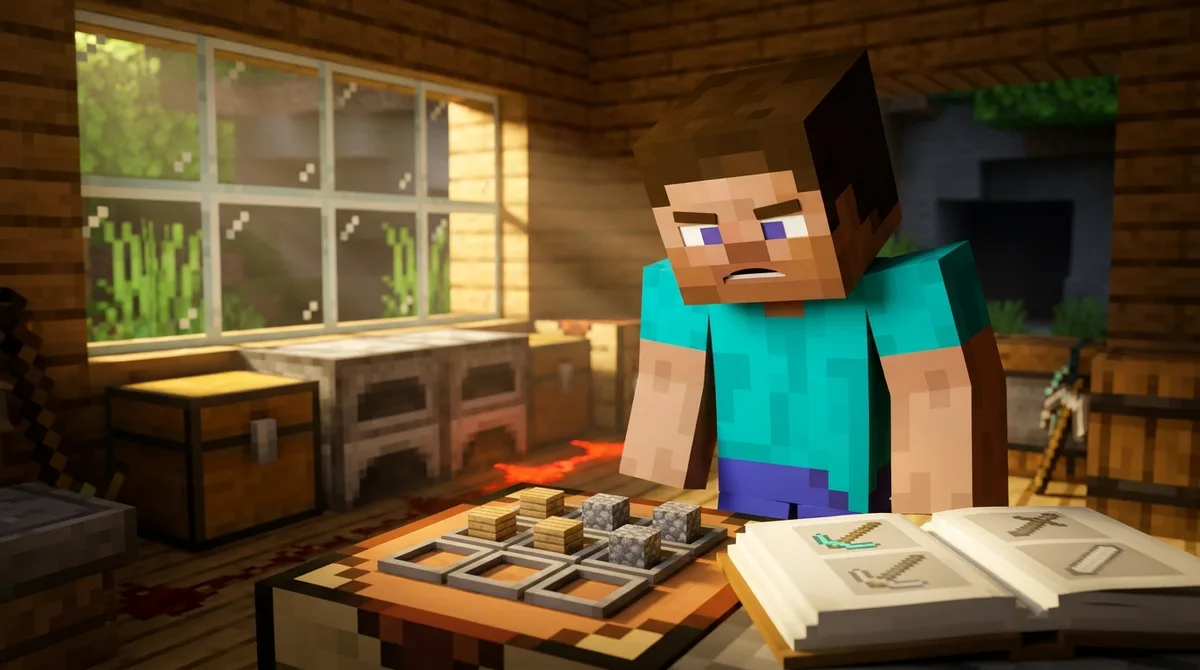
If a recipe is missing from your book, the cause is usually your edition, the screen you are using, a filter that is switched on, or an unlock condition you have not met yet. Work through these checks from simplest to most involved.
- Confirm your edition and screen. Make sure the tab names in your guide match your version, because a Java tab called Redstone does not exist on Bedrock. Then check where you are crafting. Your inventory only offers the 2×2 grid, so a 3×3 recipe such as an iron pickaxe stays hidden until you open a crafting table you have placed.
- Check the Show craftable filter (Java). Say you are holding two sticks and some cobblestone but no iron ingot. The iron pickaxe will not appear while the filter is on, so switch it off to see the full catalog.
- Look at the category tabs (Java). A tab stays hidden until you know at least one recipe in that category. In a fresh world you may see only the search tab and a couple of others, so type the item name into the search box to find what you need.
- Meet the unlock condition. Most recipes appear once you hold a qualifying item, but boats need you to touch water first. Holding a stack of planks will not reveal the boat recipe until you walk into a river or lake, then reopen the book.
Start with the first two checks, since they fix most missing recipes quickly. The category and unlock checks take a little more time, but they usually explain the rest. Your inventory is also a good place to test, because you can move through the screens quickly without leaving your base.
If the recipe still does not show up after all four checks, the problem is likely in your world settings. The next section walks you through the rules that control which recipes unlock, and how to change them.
Which World Settings Control Recipe Unlocks?
On Bedrock Edition, the recipesunlock game rule decides whether built-in recipes unlock automatically as you progress. The dolimitedcrafting rule decides whether you can craft only the recipes you have already unlocked. Together, these two settings control what shows up in your recipe book and what you can actually make.
When recipesunlock is on, built-in recipes unlock by themselves as you collect materials and play, so the book fills in the way it did in your early worlds. When it is off, recipes may never appear on their own. That is why an iron pickaxe can stay missing from your book even after you have gathered plenty of iron ingots.
When dolimitedcrafting is true, you can craft only the recipes you have unlocked first. Imagine you have two sticks and three iron ingots in your crafting table grid, the exact shape of an iron pickaxe, but the output slot stays empty. The rule is blocking a recipe you have never unlocked, even though you hold every ingredient.
A recipe can also be visible while you still lack materials. The red highlights in the panel tell you which ingredients are missing. If every ingredient is in the grid and the output still refuses to appear, check whether limited crafting is switched on.
Java Edition has its own limited-crafting game rule, and it can change what you are able to craft in the same way. The Show craftable filter only hides recipes from the list, so it does not decide what you can make. If an unlocked recipe still will not craft on Java, look at that rule in your world settings instead.
You change these rules in your world settings, under the game rules section. Open the settings before you start building, so the recipes behave the way you expect from the first night.
Checking Your Recipe Book Settings Before You Craft
Start with your edition, then check which screen you are using, and switch off the Show craftable filter on Java if it is on. Next, confirm the unlock condition, such as holding iron ingots or touching water for boats, and finish with your world rules. Working through the steps in order keeps you from changing settings you do not need to touch.
Then recheck the red-highlighted ingredients in the recipe panel. If an iron pickaxe shows red only beside iron ingots, you know those three ingots are the only thing missing. To test a recipe you already know, type its name into the search tab, such as “iron pickaxe.” If nothing appears, the recipe may be filed under a different name in your edition, or you have not unlocked it yet.
Once the recipe shows up, you are ready for your next project, such as a furnace setup or a starter base built around your crafting table.
Checking Your Recipe Book Settings Before You Craft
Start with the recipe that is giving you trouble. If you are missing an iron pickaxe, write down your edition and the screen you are using. Then open a crafting table you have placed in the world, not your inventory, and type “iron pickaxe” into the search box.
If the recipe appears but the output slot stays empty, check your world settings before you gather anything else. On Bedrock, look at the recipesunlock and dolimitedcrafting rules. On Java, look at the limited-crafting rule. Making that check first saves you from collecting materials for a build you cannot craft.
Once the pickaxe works, run one quick test to confirm your setup. Stand at the crafting table with two sticks and three iron ingots in the grid. The red highlights should be gone, and the finished pickaxe should appear in the output slot.
Keep a short list of the unlock conditions you are still working toward. Boats need you to touch water, and chests need ten inventory slots filled. Checking that list before a mining trip keeps the recipe book working for you instead of against you.