

Whether you are building an automatic pumpkin farm or a flashing neon sign for your base, you need a reliable way to keep your machines moving. Using simple redstone clock designs allows you to create a repeating pulse that powers your contraptions without you having to flick a single lever. These circuits are the heartbeat of any great build in Minecraft versions 1.20 and 1.21. You can save a lot of space and resources by choosing the right layout for your specific project.
If you have a couple of Observers in your inventory, you can make a ticking clock in seconds just by placing them face-to-face. For those times you need a rapid-fire signal, a single Comparator in subtract mode with a small loop of redstone dust will get the job done. These modern setups are much smaller than the bulky repeaters of the past, leaving you more room for your actual farm. You will find that mastering these tiny circuits makes your survival world much more efficient and fun to play.
Key Takeaways
- Utilize two Observers placed face-to-face to create the smallest and fastest redstone clock for rapid-fire machines like dispensers and note blocks.
- Build a compact, high-speed pulse generator by placing a Comparator in subtract mode and looping redstone dust from its output back into its side input.
- Use repeater loops for projects requiring specific timing, as they allow you to easily adjust signal delays by clicking the repeaters or adding more to the circuit.
- Incorporate toggle switches, such as levers or sticky pistons, to deactivate your clocks and prevent unnecessary noise or lag in your Minecraft world.
Rapid Pulses With The Observer Clock
When you are first starting out with automation, you do not need to worry about massive logic gates or complicated wiring. The observer clock is the perfect solution because it is the smallest and fastest way to get your machines moving. To build one, you simply place two observers so that their faces are looking directly at each other. This creates a constant loop where each block detects a change in the one in front of it, resulting in a rapid heartbeat of redstone power. It is an incredibly reliable way to power things like note blocks or dispensers without taking up any extra space in your build.
This tiny setup is highly effective for simple farms because it operates at about three pulses every second. You can use this steady rhythm to power a row of pistons for a sugarcane farm or to keep a dropper constantly firing items into a water stream. If you want to turn the machine off, you can use a sticky piston to pull one of the observers away. Moving the observer back into place instantly restarts the clock, giving you an easy way to control your creations. It is a fundamental tool that every player should have in their inventory for quick and easy redstone projects.
Compact Timing Using The Comparator Loop
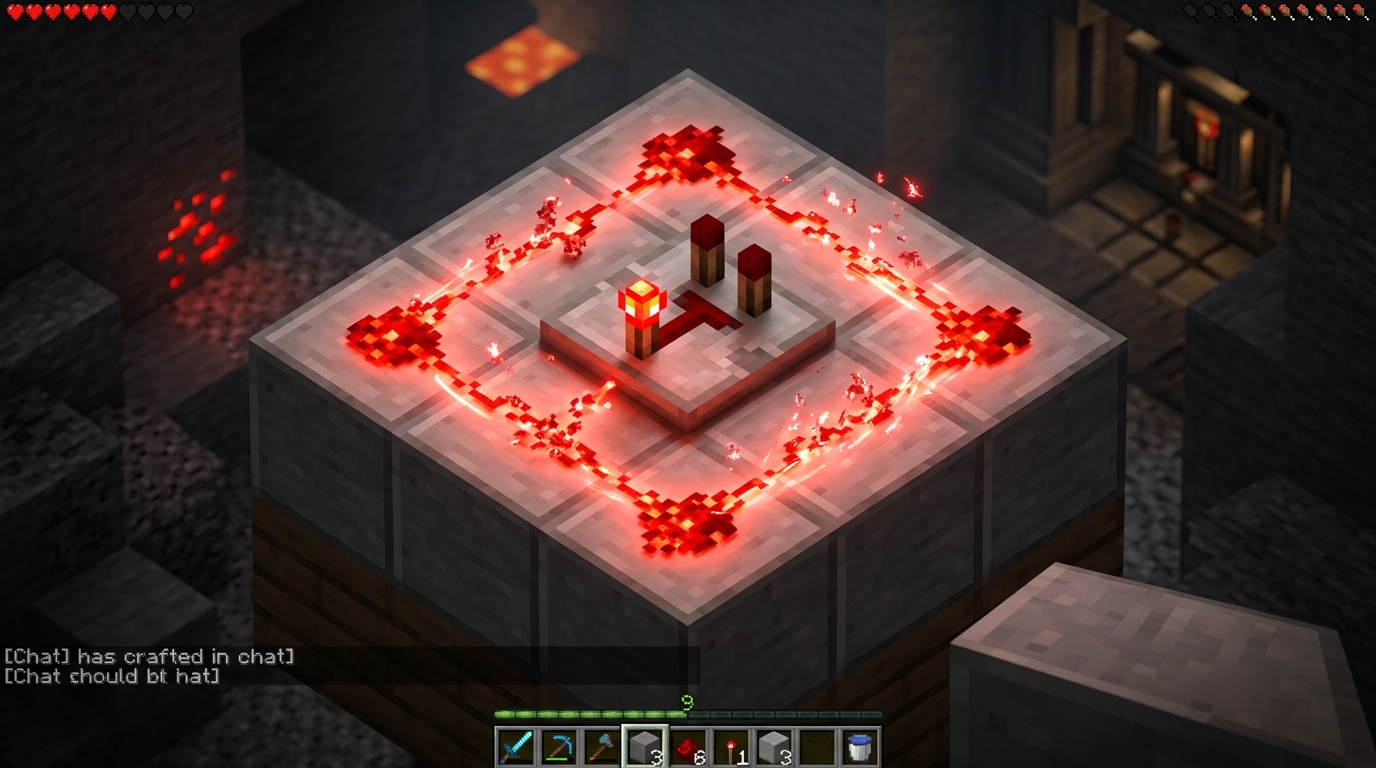
The comparator loop is one of the most useful tools you can have in your redstone toolkit because it is incredibly tiny and fast. To build this, you simply place a redstone comparator on the ground and click it once so the front torch lights up, which puts it into subtract mode. Next, you run a short trail of redstone dust from the front output of the comparator back around into its side input. When you power the back of the comparator with a lever or a button, it creates a rapid pulsing signal that acts like a high speed heartbeat for your machines.
This design is perfect for beginners because it fits into a three by two space and requires very few materials. You can use this clock to power a dispenser full of bone meal to grow crops instantly or to fire arrows rapidly from a defensive turret. Because the signal is so fast, it is great for high speed farms that need to process items quickly without using bulky repeater loops. If you want to turn the machine off, you just flip the lever to stop the signal, giving you total control over your automation.
One of the best things about the comparator clock is how easily it integrates into larger builds without taking up much room. Since the pulse happens so quickly, it can trigger multiple droppers or pistons simultaneously to keep your item sorters moving. You should keep in mind that this clock produces a very fast signal that might be too quick for some older redstone components. However, for most modern 1.20 and 1.21 farm designs, this compact redstone loop is the most efficient way to get your redstone moving.
Adjustable Delays With Repeater Loop Designs
The repeater loop is the perfect starting point for your first automated farm because it is incredibly easy to build and adjust. You can create this circuit by placing two or more repeaters in a circle, making sure they all face the same direction to keep the signal moving. Once you give the circuit a quick flick with a redstone torch, the pulse will travel around the loop forever. This design is great for beginners since you can clearly see the signal moving, which helps you understand how the timing works. It provides a steady heartbeat for your machines without needing expensive materials or complicated logic.
Changing the speed of your clock is as simple as clicking on the repeaters to change their delay settings. Each repeater has four different positions, and adding more ticks will slow down the pulse to give your farm more time to reset. For even longer delays, you can just add more repeaters to the circle until you reach the exact timing you need. This flexibility makes it ideal for things like automatic bee farm designs or simple light shows where you want a specific rhythm. You have total control over the pace, allowing you to speed things up or slow them down with just a few clicks.
To make your clock even more useful, you can add a lever to a block next to the redstone dust to turn the whole system on and off. This keeps your world quiet when you are not using your machines and prevents lag from constant moving parts. If the signal ever gets stuck and stays on, you can simply break a piece of redstone dust and replace it to reset the loop. Using different amounts of repeater loops lets you customize the pulse for everything from fast item droppers to slow sugarcane harvesters. It is a reliable and classic way to bring your Minecraft builds to life with very little effort.
Easy Redstone Clocks for Your Machines
Mastering the heartbeat of your redstone machines is the first step toward becoming a pro builder. Whether you need the rapid speed of an observer clock for a sugarcane harvester or the toggleable convenience of a comparator loop, these simple designs provide the pulse your world needs. You do not need to be a technical genius to get these circuits running in your latest 1.21 survival world. Start with the most basic layouts to see how they interact with your pistons and dispensers. Once you see your first automatic farm spring to life, you will realize how much time you can save for adventuring.
Choosing the right clock depends entirely on the specific needs of your farm and the space you have available. A compact observer clock is perfect for tight spaces where you need a fast signal, while a repeater loop allows you to slow things down for items like pumpkin or melon farms. Experimenting with these designs helps you understand the flow of power and how to control it with a single lever. You can easily expand these concepts to power massive sorting systems, secret piston door entrances, or automatic crafter redstone setups around your base. Take these blueprints and start automating your Minecraft world today to make your gameplay more efficient than ever.
Frequently Asked Questions
1. What is the easiest way to build a redstone clock?
The simplest method is placing two Observers so their faces look directly at each other. This creates a rapid heartbeat of power that is perfect for dispensers or note blocks.
2. How can I make a clock that pulses very quickly?
You should use a Comparator in subtract mode with a small loop of redstone dust connecting its side to its front. This design provides a high-speed signal that takes up very little space in your build.
3. Can I turn these redstone clocks off when I am not using them?
Yes, you can easily add a toggle by using a sticky piston to pull one of the Observers away. When the faces are no longer touching, the circuit stops until you push them back together.
4. What are some good uses for a redstone clock in my survival world?
These circuits are excellent for powering automatic sugarcane or pumpkin farms where you need pistons to fire regularly. You can also use them to create flashing neon signs or to keep droppers moving items into water streams.
5. Do these redstone designs work in the latest Minecraft updates?
These small and efficient layouts are fully compatible with Minecraft versions 1.20 and 1.21. They use modern mechanics like Observers and Comparators to save you more resources than older, bulkier designs.
6. Will an Observer clock take up a lot of room in my base?
Not at all, as the Observer clock is one of the smallest designs available because it only requires two blocks. This leaves you plenty of extra room to focus on the actual farm or machine you are building.