

Whether you are trying to build a massive gunpowder farm or just want to keep your base safe from creepers at night, understanding exactly where monsters appear is essential. This mob spawn radius guide breaks down the invisible spheres that control every zombie and skeleton in your world. You do not want to stand too close to your spawning platforms and stop the action, but standing too far away will cause your loot to disappear instantly.
In Minecraft versions 1.21 and 1.22, the game uses a strict 24-block no-spawn bubble around you to prevent monsters from appearing out of thin air right in your face. Once you step beyond that 128-block limit, every hostile mob instantly despawns, which is why experienced players build their AFK spots high in the sky. Mastering these specific distances ensures your mob grinders run at peak efficiency while keeping your survival house a total safe zone.
Key Takeaways
- Maintain a distance between 24 and 32 blocks from spawning platforms to keep mobs active and moving toward traps while staying outside the game’s no-spawn safety bubble.
- Build AFK platforms approximately 120 blocks above your farm to ensure the 128-block despawn sphere excludes dark caves and ground-level areas, forcing all spawns into your collection chambers.
- Verify your Bedrock Edition simulation distance settings, as a low setting of 4 chunks shrinks the despawn radius from 128 blocks to just 44 blocks.
- Maximize loot rates by lighting up all dark areas within 128 blocks of your position to prevent random monsters from filling the global mob cap.
The Three Spheres Of Mob Spawning
Mastering the three spheres of spawning is the secret to making your mob farms actually produce loot. The first zone is a 24-block safety bubble immediately surrounding your character where no monsters can naturally appear. This means if you stand too close to your spawning platforms, your farm will stay completely empty. You should use this knowledge to position your AFK spot just far enough away to let the magic happen. Keeping this inner circle clear of dark spots also ensures you won’t be surprised by a Creeper while you are busy crafting or sorting your chests.
Once you move past that initial safety bubble, you enter the active spawning zone which extends out to 32 blocks. In this sweet spot, mobs will spawn and move around normally, making it the perfect place to aim your farm’s collection floor. If a monster wanders or is pushed beyond 32 blocks, it enters a state where it might randomly vanish at any moment. To keep your rates high, you want to move these mobs into your killing chamber as quickly as possible before the game decides to delete them. This middle zone is where the most efficient hunting and farming always takes place.
The final boundary is the 128-block despawn sphere, which acts as a hard limit for every monster in your world. Anything that crosses this line or spawns outside of it will instantly disappear, freeing up space for new mobs to arrive. Professional players use this rule to their advantage by building farms high in the sky or clearing out nearby caves. By making sure the only valid spawning spots within 128 blocks are inside your farm, you force the game to send every single monster directly to you. This strategy maximizes your gunpowder and bone drops while keeping the rest of your base completely safe.
Distance Differences Between Java And Bedrock
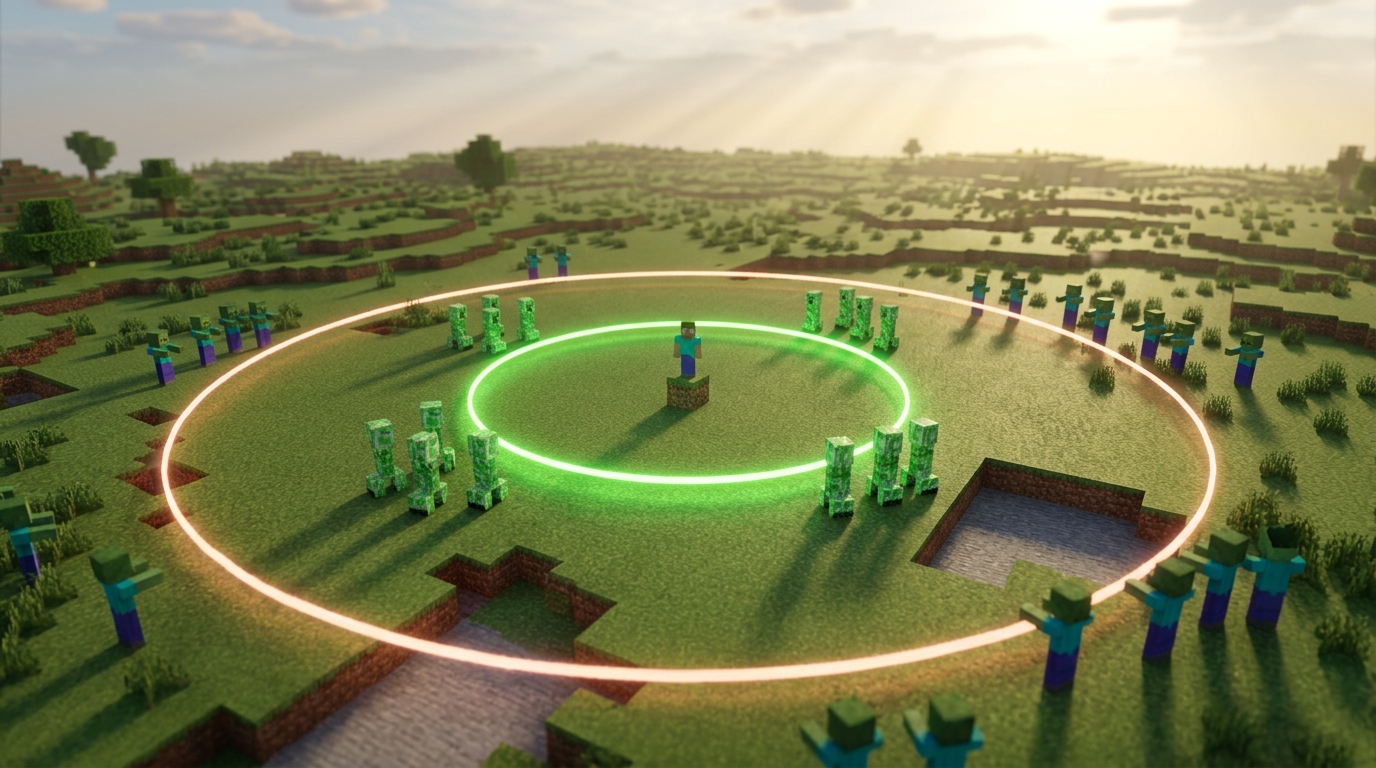
While Java Edition players almost always deal with a fixed 128 block despawn sphere, your experience on Bedrock Edition depends heavily on your simulation distance settings. If you have your simulation distance set to 4 chunks, the game significantly shrinks the spawning world around you to save on processing power. In this low setting, mobs will instantly despawn if they are more than 44 blocks away from you instead of the usual 128. This means a mob farm designed for Java or high end Bedrock settings will fail if your character stands too far away. You must position yourself much closer to your spawning platforms to ensure monsters don’t vanish the moment they appear.
Higher simulation settings on Bedrock, such as 6 chunks or above, expand this radius to match the standard 128 block sphere found in Java Edition. This flexibility is great for performance on mobile devices, but it can be confusing when you are following a tutorial online. If you built a massive creeper farm and nothing is dropping into the collection pit, check your world settings before rebuilding the entire thing. A low simulation distance might be deleting your creepers before they even have a chance to fall into the water streams. Always match your standing position to your specific settings to keep your loot chests filling up.
Positioning Your AFK Spot For Maximum Loot
To get the most loot from your mob farm, you need to stand in the sweet spot where monsters can spawn but cannot wander off. Mobs will only start appearing once you are at least 24 blocks away, so standing too close to your spawning platforms will result in zero drops. The ideal range to maintain is between 24 and 32 blocks from the killing chamber. In this active zone, mobs are guaranteed to stay alive and will actively move toward your traps or fall chutes. If you move further than 32 blocks away, monsters might stop moving or even despawn randomly before they ever reach your collection chests.
Managing the 128 block despawn sphere is the secret to keeping nearby caves from ruining your rates. Any mob that spawns more than 128 blocks away from you will instantly vanish, which is why many players build their AFK spots high in the sky. By standing roughly 120 blocks above the ground, you force the game to ignore dark caves deep underground because they fall outside your active radius. This trick ensures that every single available mob slot is used by your farm rather than being wasted on a zombie hiding in a hole. Just make sure your AFK platform is safe from Phantoms by placing a roof over your head while you wait.
Finding the perfect height requires a bit of simple math based on where your farm’s floor is located. If your spawning platform is at Y level 60, you should aim to sit your character at Y level 180 to keep the ground level out of range. This setup creates a bubble of productivity around you that focuses all the game’s spawning energy into your specific farm area. You can use a spyglass or coordinate screen to double check your distances and ensure you are not too far away. Staying within these precise boundaries turns a slow, inconsistent farm into a high speed loot factory that fills your chests with gunpowder and bones.
Managing The Hostile Mob Cap Limits
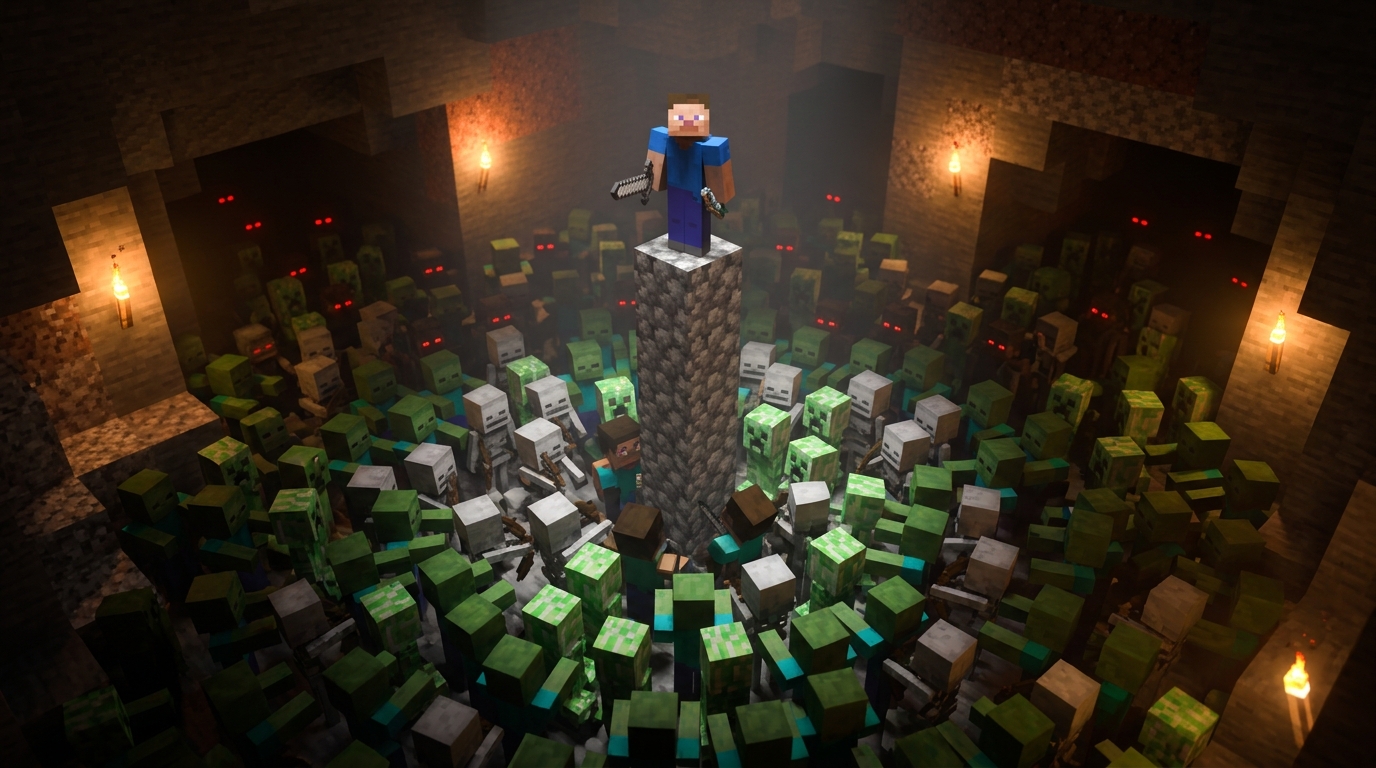
To keep your mob farm running at peak efficiency, you need to master the game’s global mob cap. The game only allows a certain number of hostile creatures to exist around you at one time, usually around 70 in a single-player world. If nearby caves or dark surface areas are filled with random zombies and skeletons, your farm will stop producing new loot because the cap is already full. You can fix this by lighting up every dark spot within 128 blocks of your AFK position to force the game to spawn mobs only inside your trap.
Positioning yourself correctly is the most important step in managing these limits and maximizing your drops. You should aim to stand exactly 24 to 32 blocks away from your spawning platforms to keep the mobs active and moving toward your collection point. If you move further than 32 blocks away, the mobs might stop moving or even despawn randomly before they reach your loot chest. Staying in this sweet spot ensures that as soon as a mob is defeated, a new one can immediately take its place.
If your rates start to slow down, you might need to perform a quick reset to clear out any stuck enemies. Simply moving more than 128 blocks away from the area or temporarily switching to Peaceful difficulty will instantly wipe the mob cap clean. Once you return to your spot, the game will begin fresh, filling the cap only in the valid spaces you have provided. This simple trick keeps your Minecraft farms running without any technical headaches.
Mastering Your Mob Spawning Distances
Mastering these distances is the secret to making your survival world both safer and more productive. You should always remember that the 24 block no spawn zone is your personal safety bubble where mobs cannot appear out of thin air. When you are building a mob farm, make sure your AFK spot is positioned so the spawning platforms are at least 25 blocks away but no more than 32 blocks for maximum activity. This sweet spot ensures that entities start moving immediately toward your traps or drop chutes. Keeping these specific numbers in mind saves you from the frustration of standing too close and seeing zero loot in your chests.
Efficiency in Minecraft often comes down to managing that outer 128 block boundary where things instantly disappear. If you are building a massive gold or creeper farm, you must light up every cave within this radius to force all spawns into your designated collection area. You can also look for massive Minecraft XP farms to skip the endless cave exploring and easily build dual mob spawners for endless loot. Any mob that wanders beyond this sphere is deleted by the game, which frees up the mob cap for new entities to spawn exactly where you want them. By controlling this environment, you spend less time wandering through dark tunnels and more time gathering the gunpowder or bones you need for your next big project. Understanding these mechanics turns a simple build into a high speed resource generator.
Frequently Asked Questions
1. How close can I stand to my mob farm before it stops working?
You need to stay at least 24 blocks away from your spawning platforms for monsters to appear. If you stand any closer, the game’s safety bubble prevents mobs from spawning right in your face. This is why you should place your AFK spot or waiting area a short distance away from your farm’s interior.
2. Why do mobs keep disappearing from my farm?
Hostile mobs instantly despawn if you move more than 128 blocks away from them. To keep your farm running smoothly, make sure your killing chamber and spawning floors stay within this 128-block sphere. If you wander too far to grab supplies, your current mobs will vanish immediately.
3. What is the best distance to keep mobs active?
The best distance to keep mobs moving and walking into traps is between 24 and 32 blocks from your position. Once a mob is further than 32 blocks away, it stops moving and has a chance to randomly despawn. Try to funnel monsters into your collection system as quickly as possible once they enter this outer zone.
4. Why do pro players build their AFK spots high in the sky?
Building high in the sky puts you far enough away from the ground and dark caves so that the 128-block spawning sphere only covers your farm. This forces the game to spawn every possible monster inside your grinders instead of in hidden spots underground. It is the easiest way to maximize your gunpowder and string drops without lighting up every cave.
5. How can I make my base safe from Creepers?
You can keep your base safe by ensuring there are no dark spots within 24 blocks of where you spend most of your time. Since mobs cannot spawn inside this immediate bubble, you only need to worry about lighting up the areas just beyond that distance. This creates a natural buffer zone that keeps your front door clear of explosions. You can also use mob griefing toggle commands to ensure your structures remain intact even if a monster does manage to get close.
6. Do these spawning rules apply to the newest Minecraft updates?
Yes, these specific radius rules are consistent for Minecraft versions 1.21 and 1.22. The 24-block safety zone and the 128-block despawn limit remain the standard for how the game handles monster logic. Following essential hardcore survival tips will help you play smart and use these exact measurements to plan your builds in any modern survival world.