
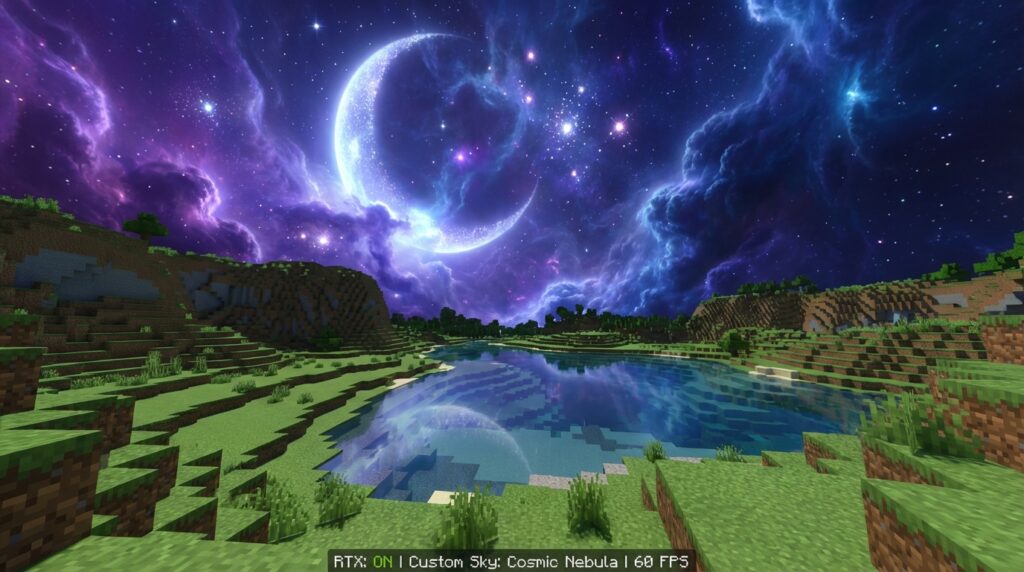
Have you ever looked up at the blocky, square sun in Minecraft and wished for something more breathtaking? You can completely transform your world’s atmosphere by using custom sky resource packs to replace the basic daytime and nighttime views. These packs swap out the default textures for high-definition stars, swirling nebulae, and realistic clouds that make every sunset feel like a cinematic event. Instead of a simple blue void, you can look up to see the Milky Way stretching across the horizon while you build your base.
Modern packs do much more than just sit there as a static image in the background. Your sky can now change based on where you are standing, showing clear desert nights or heavy, rolling clouds over mountain peaks. Some updates even allow the lighting to shift dynamically, making your world feel alive and immersive as the weather turns. Whether you want photorealistic photography or a stylized fantasy look, these additions turn the simple act of looking up into one of the best parts of the game.
Key Takeaways
- Custom sky resource packs provide a dramatic visual overhaul of the Minecraft atmosphere without altering the appearance of building blocks or textures.
- Modern sky packs utilize biome-specific coding and dynamic weather systems to create immersive, reactive environments that change based on your location.
- Sky-only resource packs offer a high-definition aesthetic upgrade that is significantly more performance-friendly than hardware-intensive lighting shaders.
- These lightweight modifications allow players to achieve a professional, cinematic look on older hardware while maintaining high frame rates and smooth gameplay.
Aesthetic Upgrades Without Changing Block Textures
You can completely transform the mood of your Minecraft world without touching a single pixel of your favorite building blocks. Custom sky resource packs allow you to swap the default square sun and moon for breathtaking high-definition visuals like the Milky Way or colorful nebulae. These packs focus entirely on the celestial layers of the game, meaning your carefully chosen wood textures and stone bricks stay exactly the same. It is the perfect solution if you love your current aesthetic but want a more immersive atmosphere when you look upward. You get all the beauty of a professional graphics overhaul without the need for a high-end computer or complex realism packs.
Modern sky packs offer incredible variety by reacting to the specific biome you are currently exploring. You might look up in a desert biome to see a crystal clear night sky filled with shimmering stars and distant galaxies. If you travel to a mountain range or a swamp, the pack can automatically switch to heavy cloud cover or a misty horizon to match the environment. These dynamic changes happen in the background while you focus on building or adventuring. Because these packs only replace sky textures, they are incredibly lightweight and won’t slow down your frame rate during gameplay.
Adding these visual upgrades is a simple way to make your survival base or creative project feel more professional and polished. Many of these packs include realistic sunrises and sunsets that cast a soft glow over your landscape, making every evening in the game feel like a cinematic event. You can even find packs that feature stylized art or fantasy planets if you want a more whimsical look for your world. By layering a sky pack over your standard textures, you get a fresh experience that feels brand new every time the sun goes down. It is an easy way to customize your game while keeping the classic Minecraft charm you already love.
Immersive Biome Specific Skies And Dynamic Weather
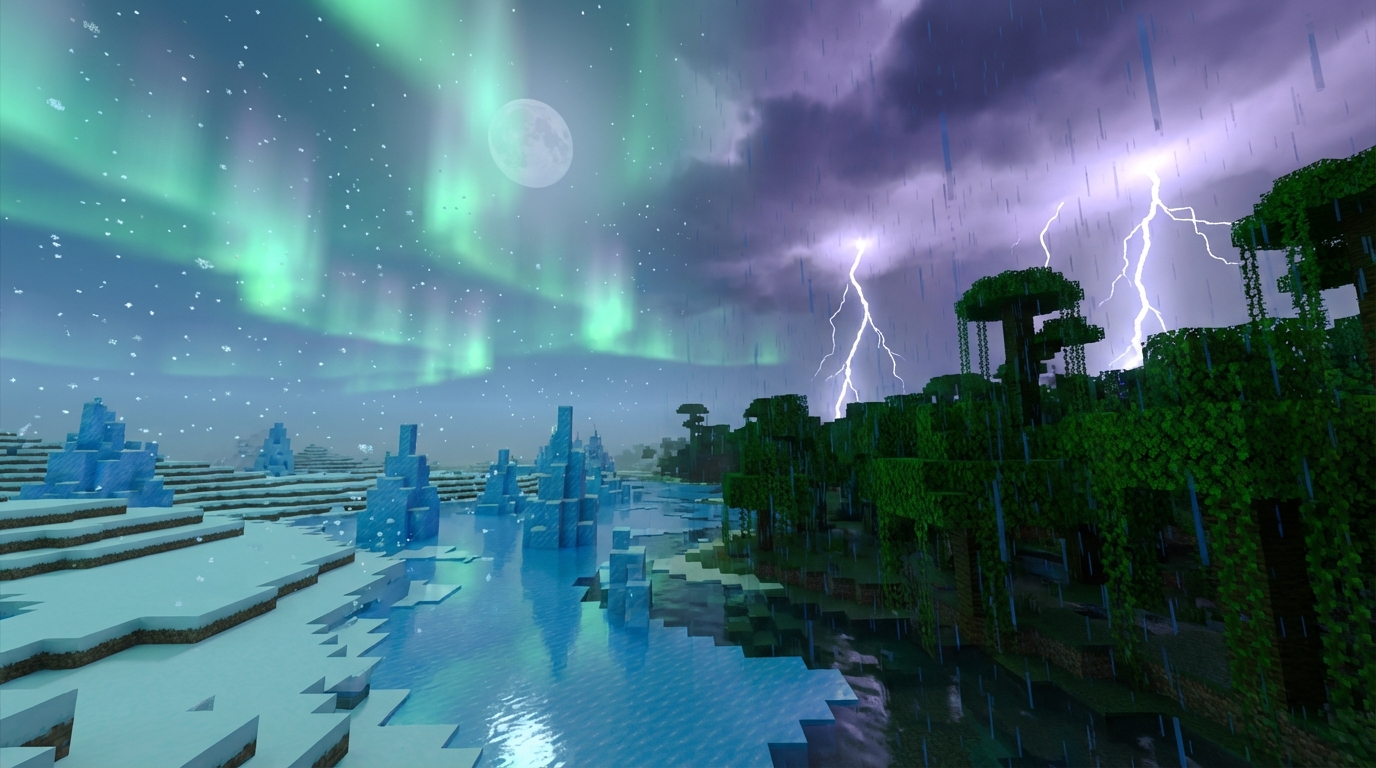
One of the most exciting parts of using a custom sky pack is how it transforms your world based on where you are standing. Instead of seeing the same generic clouds everywhere, you get a unique atmosphere that fits each specific biome. Imagine trekking through a cold mountain range and seeing thick, heavy clouds roll in to match the high altitude. If you head over to a dry desert, the sky clears up to reveal a crisp, endless horizon that makes the heat feel even more real. These packs use biome-specific coding to detect your location, ensuring that your surroundings always feel consistent and believable.
Nighttime becomes a completely different experience when your resource pack reacts to the environment around you. If you find yourself in a snowy tundra or a frozen ocean, you might look up to see shimmering green and purple auroras dancing across the stars. This adds a sense of wonder to your exploration without ever changing a single block texture or slowing down your frame rate. It creates a mood that makes simple tasks, like building a base or traveling home at night, feel much more cinematic. You get all the beauty of a high-end visual overhaul while keeping the classic Minecraft gameplay you love.
Many dynamic weather systems take this immersion even further by blending the sky colors with the falling rain or snow. When a storm starts, the bright blue sky does not just turn gray, but instead shifts into deep, moody tones that make you want to seek shelter. You can watch the moon peek through breaking clouds after a thunderstorm, creating realistic lighting that makes your world feel alive. These small details work together to build an atmosphere that is far more engaging than the standard vanilla experience. It is the perfect way to refresh your game’s look while focusing purely on the aesthetic beauty of nature.
Better Performance Compared To Heavy Realism Shaders
If you want your Minecraft world to look breathtaking without making your laptop fans sound like a jet engine, custom sky resource packs are the perfect solution. While heavy realism shaders can tank your frame rate by recalculating every shadow and reflection, a sky pack simply swaps out the default celestial textures for something much more beautiful. You get to enjoy stunning sunsets and deep space views without the stuttering or lag that usually comes with complex lighting mods. It is a smart way to upgrade your atmosphere while keeping your gameplay smooth and responsive, even on older hardware.
These packs allow you to transform the entire mood of your game without touching a single block texture. You can wander through a desert under a photorealistic Milky Way or watch heavy storm clouds gather over a mountain peak, all while maintaining high performance. Because these packs focus only on the skybox, your computer does not have to work overtime to render intense water effects or waving grass. This means you can keep your render distance high and still enjoy a professional, aesthetic look that makes every screenshot look like a work of art.
Choosing a sky-only pack is especially helpful if you love the core look of Minecraft but want a more immersive environment. You do not need a high-end gaming rig to experience dynamic events like glowing nebulae or realistic moon phases that change as you play. By focusing on the horizon rather than heavy lighting calculations, you save your battery life and prevent your device from overheating during long building sessions. It is the most efficient way to get that high-definition feel while better decorations and lighting ensure your game runs at its absolute best.
Refresh Your World With Custom Skies
Transforming your world with a custom sky is one of the easiest ways to refresh your Minecraft experience without changing a single block texture. These packs allow you to enjoy breathtaking views like the swirling purple nebulae or the hyper-realistic Milky Way while you build your base. Since they only modify the celestial layer, you do not have to worry about your frame rate dropping or your game slowing down. It is the perfect solution for players who want a more immersive atmosphere while keeping the classic look of their favorite building materials. You can simply look up from your garden and see a high-definition sunset that feels completely unique to your world.
Choosing the right celestial theme can make your nightly adventures feel like a brand new game. You might opt for a pack that features biome-specific views, giving you heavy storm clouds in the mountains and crystal clear starfields in the desert. These dynamic changes help your world feel alive and reactive as you travel across different terrains. Whether you are looking for a dreamy fantasy aesthetic or creative furniture design ideas for your Minecraft base, these resource packs offer a simple way to customize your horizon. Pick your favorite theme today and start your next journey under a stunning new set of stars.
Frequently Asked Questions
1. Will these sky packs change the look of my building blocks?
Not at all. These resource packs focus entirely on the celestial layers like the sun, moon, and clouds. Your wooden planks and stone bricks will keep their original look while the sky transforms around them.
2. Do I need a powerful computer to run custom skies?
You can enjoy these beautiful visuals even on a basic setup. Because they only replace sky textures rather than every block in the game, they are a great way to get a high end look without slowing down your frame rate.
3. Can the sky look different depending on where I build my base?
Yes, many modern packs are designed to react to the specific biome you are standing in. You might see heavy clouds over a mountain peak but find a perfectly clear view of the Milky Way when you walk into a desert.
4. What kind of visual styles can I choose from?
You have plenty of options ranging from photorealistic night skies to stylized fantasy themes. You can swap the default square sun for a glowing round star or fill the night with colorful swirling nebulae.
5. Does the sky change when the weather turns bad in the game?
Many packs feature dynamic lighting and textures that shift as the weather changes. This makes your world feel much more immersive as the bright blue sky transitions into heavy, rolling storm clouds.
6. Is it difficult to install these custom sky textures?
It is a very straightforward process that works just like adding any other resource pack to your game. Once you move the folder into your game files, you can toggle the new look on or off through your settings menu.