
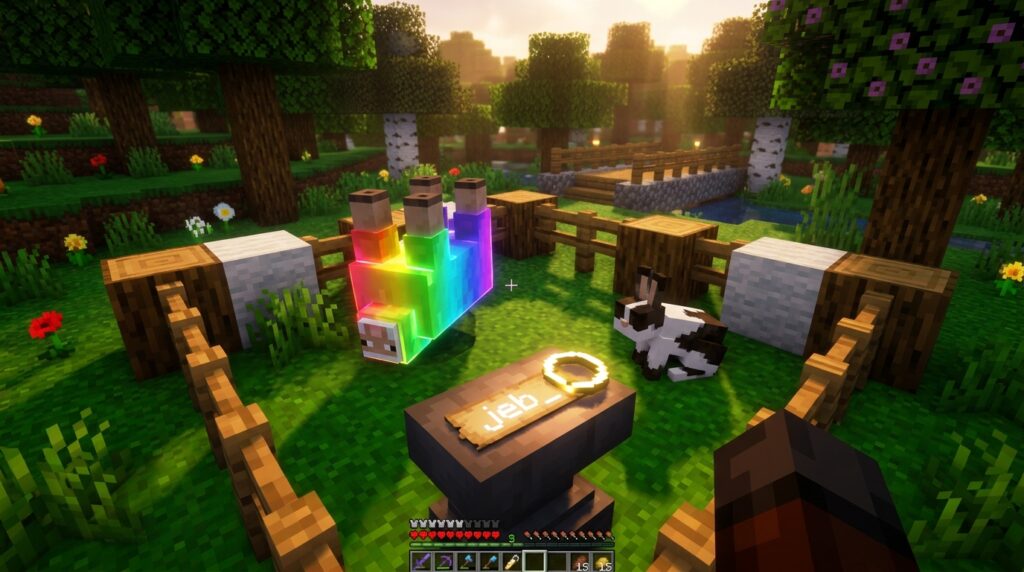
Have you ever wanted to turn your Minecraft world into a place full of hidden surprises and funny secrets? By using name tag easter eggs, you can transform ordinary mobs into something extraordinary with just a few keystrokes. Whether you want to see a sheep cycle through a flashing rainbow of colors or watch a cow walk around completely upside down, these hidden features add a layer of personality to your base.
To get started, all you need is an anvil and a name tag to unlock these special transformations. You can create a rainbow sheep by using the name jeb_ or turn any mob on its head by naming it Dinnerbone. These little tricks are a great way to memorialize a pet or add a bit of chaos to your farm. It is a simple way to show off your game knowledge while making your survival world feel truly unique.
Key Takeaways
- Use an anvil to rename name tags with specific triggers like ‘jeb_’, ‘Dinnerbone’, or ‘Grumm’ to unlock hidden visual transformations for your mobs.
- Apply the name ‘jeb_’ to a sheep to create a cycling rainbow effect, or name any mob ‘Dinnerbone’ or ‘Grumm’ to flip it permanently upside down.
- Rename a Vindicator to ‘Johnny’ to override its standard AI, causing it to become hostile toward almost every living creature in the game.
- Honor the community-driven ‘Toast’ easter egg by naming a rabbit to unlock a unique black-and-white patched fur pattern that does not occur naturally.
Flipping Mobs Upside Down With Dinnerbone
Since the early days of Minecraft, players have used name tags to keep their favorite pets from disappearing, but some special names do much more than that. One of the most famous secrets involves naming any creature Dinnerbone or Grumm to completely change their orientation. This fun trick is a direct tribute to two of the game developers and works on every single mob in the game. You can use it on a peaceful cow grazing in a field or even a terrifying boss like the Wither. It is a simple way to add some humor to your world without using any complicated mods or cheats.
To try this out for yourself, you just need a name tag and an anvil to set the text. Make sure you capitalize the first letter and spell the name exactly right to trigger the hidden effect. Once you apply the tag to a mob, they will instantly flip over and start walking around on their heads. It is incredibly funny to watch a creeper glide toward you upside down or see a horse galloping with its legs kicking in the air. This visual change does not hurt the mob or change how they act, so you can safely turn your entire farm into an upside down zoo.
Creating Rainbow Sheep With The Jeb Name Tag
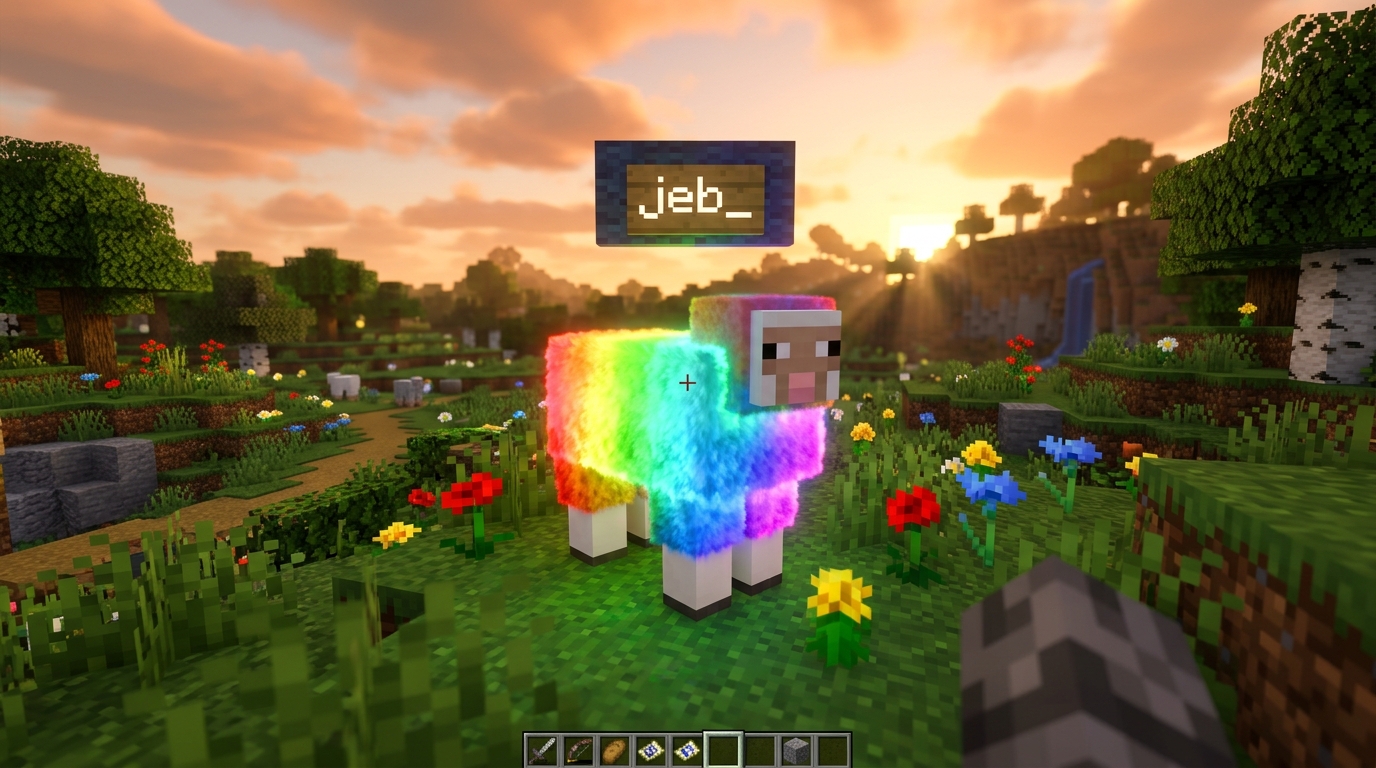
One of the most famous secrets in Minecraft involves giving a sheep a very specific makeover using a name tag. When you use an anvil to rename a tag to jeb_ and apply it to a sheep, the animal begins a mesmerizing transformation. Instead of staying one solid color, the sheep’s wool starts to cycle through every single color available in the game. This rainbow effect creates a beautiful, constant loop that makes your farm look like a magical party. It is a simple trick that adds a huge amount of personality to your base without needing any complex mods or cheats.
You should keep in mind that this colorful display is purely a visual effect for you to enjoy. If you decide to shear your rainbow sheep, the wool that drops will always match the sheep’s original color from before it was renamed. Even though the wool on the sheep’s body continues to shift through the rainbow, the blocks you collect won’t change colors in your inventory. This makes the jeb_ sheep a perfect choice for a pet or a decorative mascot rather than a way to farm multi-colored blocks. It remains a favorite hidden feature for players who want to add a splash of variety to your world.
Setting up your own rainbow sheep is incredibly easy and only requires a few basic items. You will need a name tag, which you can often find in abandoned mineshaft loot, dungeon chests, or by fishing, and an anvil to change the text. Make sure you include the underscore at the end and keep the letters lowercase, as the name is case-sensitive. Once you right-click your sheep with the finished tag, you will see the colors begin to flow immediately. It is a fun and friendly way to experiment with the game’s hidden mechanics while showing off your knowledge of Minecraft history.
Unleashing The Aggressive Johnny Vindicator Secret
If you are looking to add a bit of chaotic energy to your Minecraft world, the Johnny easter egg is the perfect trick to try. To get started, you will need to grab a name tag and a vindicator, which are the axe-wielding villagers found in woodland mansions or during raids. Once you use an anvil to label your name tag as Johnny, simply apply it to the mob to witness a complete change in its behavior. This secret is a fun nod to the famous movie The Shining, specifically the iconic scene where a character breaks through a door. You will notice the vindicator instantly becomes much more aggressive once the name is applied.
Normally, vindicators only target players, iron golems, and villagers, but the Johnny name tag removes those restrictions entirely. Once renamed, this mob will go on a rampage and attempt to attack almost every other living creature it sees in your world. It will chase down cows, sheep, pigs, and even other hostile mobs that it usually ignores. This makes the Johnny vindicator a very dangerous roommate if you happen to keep it near your farm or your favorite pets. You can use this mechanic to override its standard AI or simply to watch the chaos unfold from a safe distance.
Setting up this easter egg is a great way to experiment with different mob interactions that you do not normally see in standard gameplay. Because the vindicator is so strong, it can quickly clear out an entire area of passive animals or distracting monsters. Just remember to be careful when you are standing nearby, because its newfound aggression does not make it any friendlier toward you. It is one of the most unique name tag secrets in the game because it changes AI behavior rather than just the mob’s appearance. Whether you are building a specialized arena or just having fun, naming a vindicator Johnny is a classic Minecraft experience.
Commemorating The Heartwarming Toast Rabbit Skin
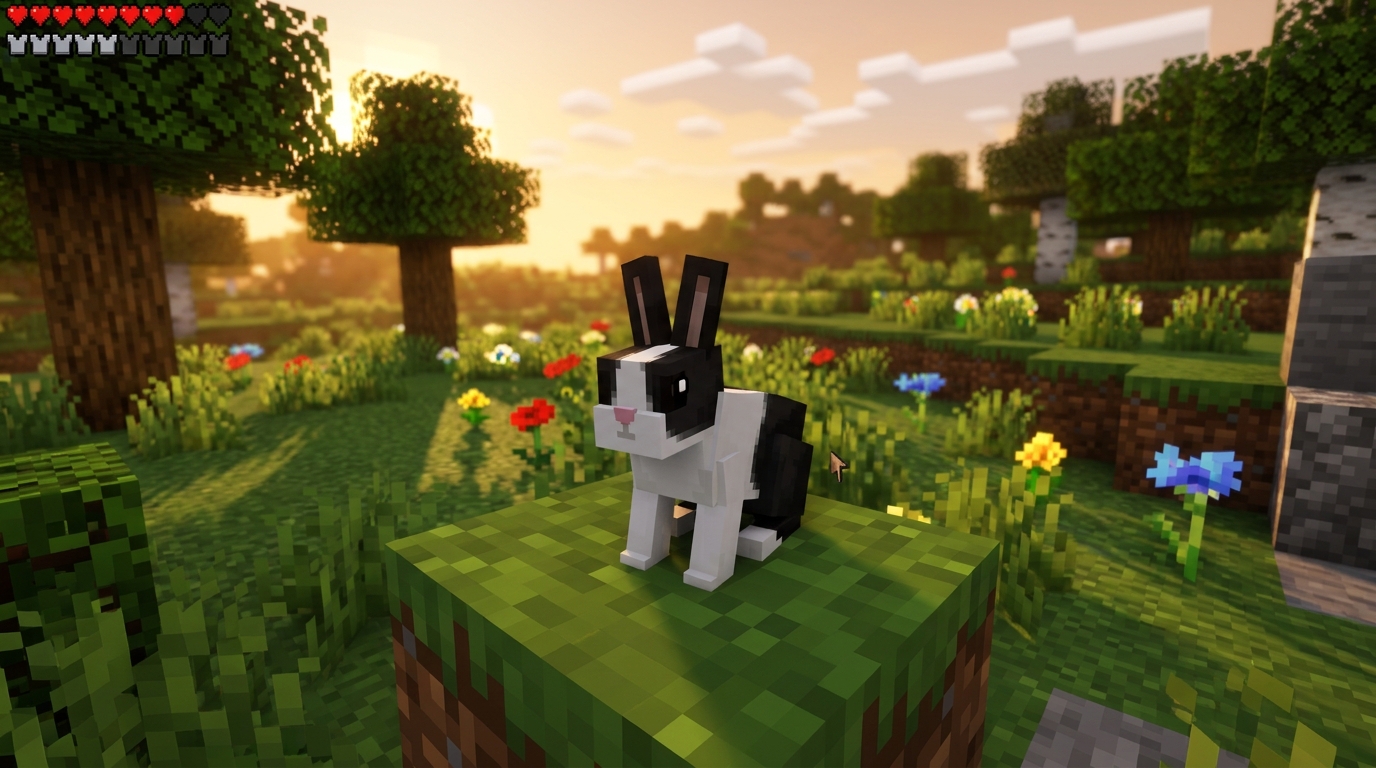
While most name tag secrets in Minecraft are meant for a quick laugh, the Toast rabbit skin carries a much deeper meaning. This special easter egg was added to the game as a tribute to a fan’s lost pet rabbit also named Toast. When you use a name tag to name any rabbit Toast, its fur immediately shifts to a beautiful, unique black and white patched pattern. This specific look is not available naturally in the wild, making your new friend stand out from the rest of the burrow. It is a quiet, beautiful way to keep a real world memory alive within your own digital world.
To try this out for yourself, you simply need a name tag and an anvil to set the name. Once you have typed in the name Toast with a capital T, apply it to any rabbit you find in the woods or desert. You will see the rabbit’s appearance transform instantly into the iconic tuxedo style fur. This easter egg works on every breed of rabbit, so you can turn a common brown or white bunny into a special memorial pet. It serves as a great reminder of how the game developers listen to the community to create heartfelt moments.
Adding a Toast rabbit to your farm or garden gives your base a bit of extra personality and history. Because this skin is tied to a real story, it feels more significant than a standard rainbow sheep or an upside down cow. Many players choose to keep a Toast rabbit in a safe enclosure to ensure it never despawns during their adventures. It is one of the many small details that makes your Minecraft world feel personal and full of life. You can share this story with your friends the next time they visit your world and ask about your unique pet.
Personalize Your World With Name Tag Secrets
Naming your mobs with these hidden secrets is one of the easiest ways to bring a sense of wonder and humor to your base. You can transform a standard sheep into a shimmering rainbow display just by typing jeb_ on an anvil. If you want to see your cows or pigs wandering around on their heads, simply use the names Dinnerbone or Grumm. These small touches show off your knowledge of the game while making your world feel much more personal. It is a great way to surprise your friends when they visit your server for the first time.
Experimenting with these name tags allows you to customize your environment without needing any complicated mods or cheats. You might choose to create a memorial for a lost pet by naming a rabbit Toast to see its special black and white coat. If you are feeling brave, you can even trigger the aggressive Johnny behavior on a Vindicator to see it take on every other mob in sight. These features are a fun tribute to the community and the developers who built the game we love. Grab some name tags and start experimenting with these fun secrets to add a touch of personality and humor to your Minecraft world.
Frequently Asked Questions
1. How do I get a name tag easter egg to work?
You need to place a name tag inside an anvil and type the specific secret name into the text box. Once you pay the small experience point cost, take the renamed tag and use it on your chosen mob to see the transformation.
2. Can I turn any mob upside down?
Yes, you can flip every single creature in the game by naming it Dinnerbone or Grumm. This works on everything from a tiny chicken to a massive boss like the Wither, and it will not change how they behave or move.
3. Does the spelling of the names matter?
Spelling and capitalization are very important for these tricks to work properly. You must capitalize the first letter for Dinnerbone and Grumm, but you should use all lowercase letters when typing jeb_ to create a rainbow sheep.
4. Will these easter eggs hurt my animals?
These name tag secrets are purely visual and will never cause damage to your pets or farm animals. Your upside down cow or flashing rainbow sheep will still eat, move, and behave exactly like a normal mob.
5. How do I make a sheep change colors?
To create a disco sheep, you simply need to name it jeb_ using an anvil. The sheep will then smoothly cycle through every color of the rainbow, which is a great way to make your wool farm look more exciting.
6. Do I need to download mods to see these effects?
You do not need any mods or special cheats to use these features because they are built directly into the standard game. As long as you have a name tag and an anvil, you can unlock these fun secrets in any survival or creative world. Knowing how to defeat the Wither boss is also helpful if you plan on using these name tags on more dangerous creatures. You can also master the art of trading with villager job blocks to get rare items like Mending books for your gear.