
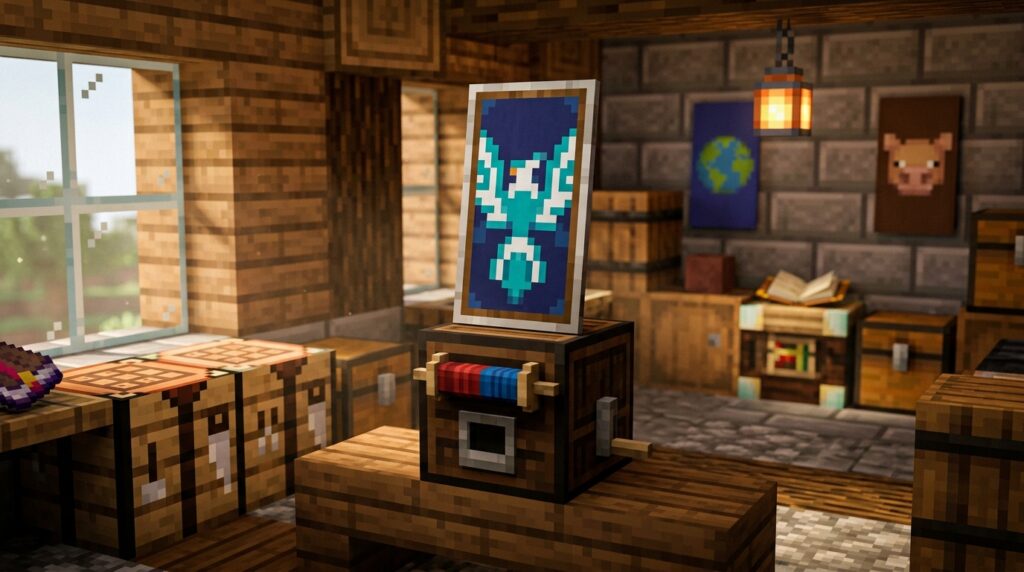
You want your Minecraft gear to tell a story the moment you step onto a PvP field or enter a crowded server. Using custom shield patterns allows you to move beyond basic colors and create a look that is truly yours. Whether you are recreating a pixelated heart or designing a rugged Viking crest, these designs turn a simple piece of wood and iron into a legendary piece of equipment.
Modern tools have made it easier than ever to turn your creative ideas into high-quality designs. You can now use design software to experiment with intricate shapes and layers before applying them to your banners in-game. Having a unique shield not only protects you from skeleton arrows but also builds your personal brand as a master crafter.
Key Takeaways
- Use a loom rather than a crafting table to create banner designs, as it is more resource-efficient and allows for the stacking of up to six unique layers.
- Apply a finished banner to a shield by placing both items side-by-side in a crafting grid, which permanently transfers the design to your defensive gear.
- Opt for bold shapes and high-contrast colors when designing, because shield patterns are slightly compressed and have a lower resolution than standard banners.
- Incorporate special items like Creeper Heads or Enchanted Apples into the loom’s special slot to unlock iconic, complex symbols that cannot be created with basic dyes alone.
Crafting Banner Designs With The Loom
To begin your customization journey, you will need to set up a loom and gather a few basic materials like white banners and various dyes. The loom is much more resource-efficient than the old crafting table method because it only uses one piece of dye per layer you apply. You can choose from dozens of built-in patterns like stripes, crosses, or gradients to build a unique look from the ground up. If you want something truly special, try adding a flower charge or a creeper head pattern to the loom’s special slot for an iconic design. These layers act as the foundation for your shield, so think about which colors will represent your character best while you explore.
Once you have mastered the basic shapes, you can stack up to six different layers on a single banner to create complex imagery. You might start with a blue base and add a yellow chevron, then top it off with a black border to make the colors pop. Many players enjoy recreating historical heraldry or making symbols that match their base’s theme, such as a sunburst or a mountain peak. Remember that the design you see on the banner will be slightly compressed when you eventually apply it to your shield. This process allows you to bridge the gap between simple survival gear and a personalized piece of equipment that tells your story.
Merging Banners And Shields For Protection
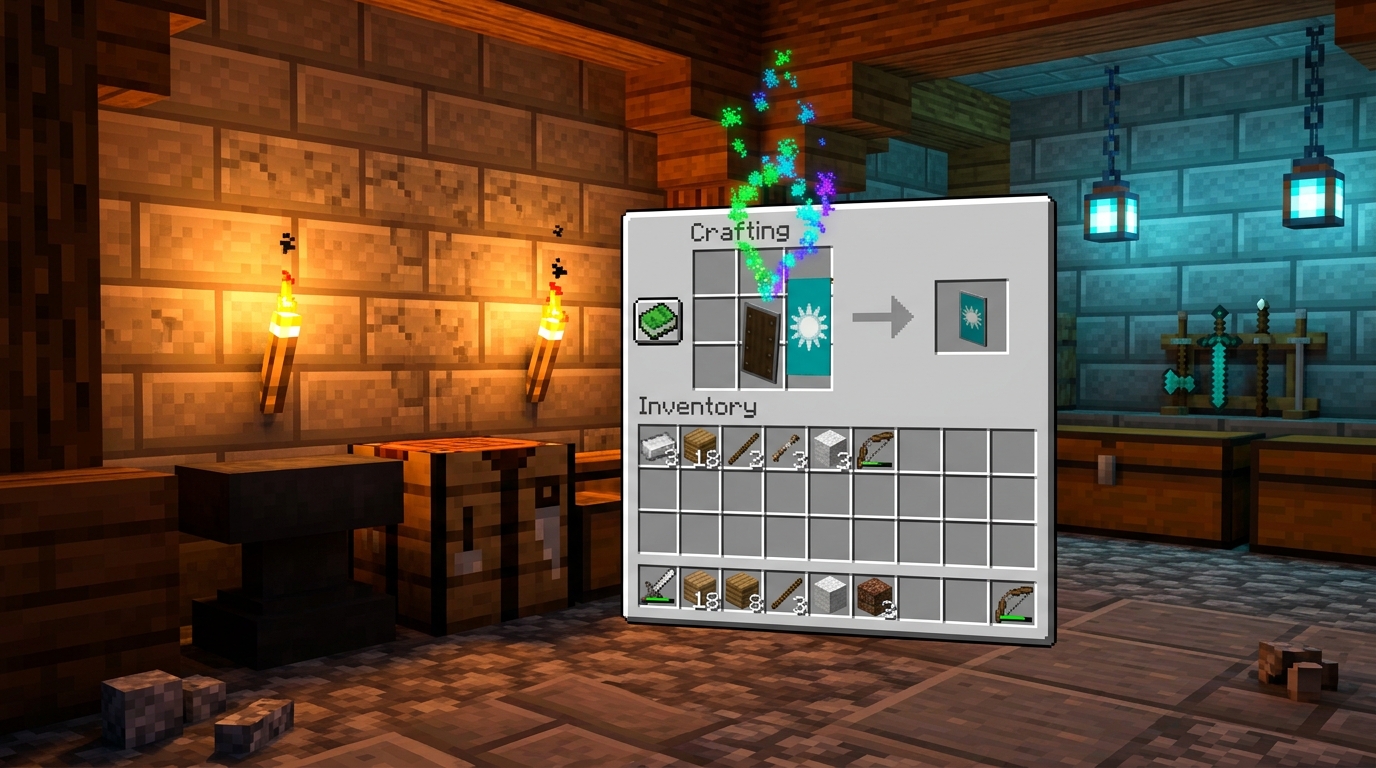
Personalizing your defense is one of the best ways to stand out on a multiplayer server while keeping yourself safe from skeletons and creepers. In Minecraft, you can merge your creative banner designs directly onto a shield to turn a basic wooden tool into a legendary piece of gear. This process bridges the gap between survival utility and artistic expression, allowing you to carry your team colors or a unique crest into every battle. Whether you want a fierce Viking design or a glowing icy pattern, the customization options are nearly endless. You just need a finished banner and a standard shield to get started on your new look.
The crafting process is incredibly simple and only requires a standard crafting table to complete. Open your crafting grid and place your decorated banner in one slot and your shield in the slot right next to it. You will see the preview icon update immediately to show your custom pattern stretched across the face of the shield. Once you pull the finished item from the output slot, your banner is consumed, but your shield now carries that permanent design. This is a great way to display your personality without needing any expensive enchantments or rare materials.
If you are looking for design inspiration, the community has created thousands of unique patterns like glowing souls or intricate crests that look great on the battlefield. Using a loom to create your banner first allows you to layer different shapes and colors before you ever touch the crafting table. You can experiment with different dyes and banner patterns to represent your base or your specific role in a group. Having a matching set of shields for your friends makes your team look professional and organized during raids or explorations. Putting a little extra effort into your gear ensures that your character looks as good as the builds you create.
Popular Minecraft Heraldry And Community Patterns
You can transform your basic wooden shield into a legendary piece of gear by mastering the art of banner patterns. Many players are currently leaning into the Viking aesthetic, using dark blues and greys to create fierce, Norse inspired designs that look great in survival mode. These patterns often feature bold geometric shapes that mimic ancient runes or sturdy iron reinforcements. By applying a custom banner to your shield in a crafting table, you instantly move from looking like a beginner to looking like a seasoned warrior. Bringing these historical vibes into your world adds a layer of depth to your character’s story and presence.
If you prefer a more mystical or modern look, the icy theme is a fantastic choice for your next creative project. This style uses gradients of light blue and white to give your shield a frozen, crystalline appearance that fits perfectly in snowy biomes. Another popular community favorite is a vibrant soul pattern, which uses bright reds and blacks to make a bold statement on the battlefield. These designs serve as more than just protection, as they allow you to express your personality while exploring deep caves or fighting mobs. Using bright colors ensures that you stand out during multiplayer sessions and look professional in every screenshot.
Creating these high quality looks is easier than ever thanks to the wide variety of community galleries available online. You can find thousands of unique step by step guides that show you exactly which banner pattern recipes to layer for the best result. Whether you are building a specialized knight outfit or just want your gear to match your base, custom heraldry bridges the gap between utility and art. Experimenting with different symbols like suns, skulls, or stripes helps you find a signature look that is uniquely yours. Once you find a design you love, your shield becomes a permanent part of your identity in the game.
Personalize Your Shield With Custom Banners
Your shield is no longer just a basic piece of wood and iron once you apply a custom banner to it. By combining your favorite banner designs with a shield in a crafting table, you transform a simple tool into a unique piece of personal gear. This process bridges the gap between survival utility and creative expression, allowing you to show off your style while fighting off skeletons or exploring dark caves. Whether you choose a fierce creeper face or a sleek minimalist gradient, your shield becomes a moving piece of art that tells your story.
Exploring the world of Minecraft feels much more personal when you are carrying a crest that represents your specific journey. You can experiment with different patterns like the flowery snout or the classic skull charge to create a look that stands out in multiplayer servers. These designs act as a form of heraldry, giving your character a recognizable brand that friends and foes alike will remember. Now that you know how to master these aesthetics, you can head into your next adventure with confidence and flair.
The possibilities for interior design also expand when you consider how these custom shields look on armor stands or item frames. Many players use them as wall decorations to add a touch of color and personality to their bases or throne rooms. You can match your shield patterns to your bed colors or floor designs to create a cohesive look throughout your home. Take these tips and start crafting a masterpiece that truly represents who you are in every corner of your world. For even more ways to customize your appearance, check out the best armor trim combinations to style your gear.
Frequently Asked Questions
1. How do you put a banner design onto a shield?
To transfer your design, place a shield and your decorated banner side by side in a standard crafting grid. This process consumes the banner but applies the pattern directly to the front of your shield. Keep in mind that this only works on the Java Edition of the game.
2. What is the best way to create complex patterns?
You should use a loom instead of a crafting table because it is much cheaper and easier to use. The loom allows you to stack up to six different layers, such as gradients and borders, using only one piece of dye per layer. This is how you create detailed looks like a Viking crest or a sunburst.
3. Can I use special items to get unique shapes?
Yes, you can use special items like the Enchanted Apple, Wither Skeleton Skull, or Creeper Head in the loom’s special slot. These items unlock iconic symbols that you cannot make with basic dyes alone. These special shapes are perfect for making your gear stand out in a PvP match.
4. Why does my shield pattern look different than my banner?
The design on a shield is slightly compressed and has a lower resolution than the original banner. Because of this, it is best to use bold shapes and high-contrast colors so your design stays recognizable from a distance. Simple layers like chevrons or large stripes often look the best on a shield.
5. How many layers can I add to my custom shield?
You can stack up to six unique layers on a single banner before applying it to your shield. By carefully choosing the order of these layers, you can create intricate designs like a detailed soul or historical heraldry. Experimenting with the order of layers helps you hide or reveal specific parts of your design.
6. What materials do I need to get started?
You only need a loom, a wooden shield, a white banner, and a few different colors of dye. You can find or craft dyes from items like flowers, lapis lazuli, or ink sacs. Once you have these basics, you can learn how to build a reliable mob head farm to begin layering colors to build your personal brand.