

Have you ever stood over your farm waiting ages for your pumpkins to grow or for a forest fire to finally clear out? You can take total control of your world’s pace by using the tick speed command to speed up time itself. Whether you want your wheat to grow in seconds or you need leaves to disappear instantly after chopping a tree, adjusting these settings changes how the environment reacts to you. It is the ultimate tool for builders and farmers who are tired of waiting around for nature to take its course.
There are actually two different ways to change your game’s speed depending on what you need. You can use a gamerule to make your crops sprout faster without affecting your own movement, or you can change the entire game engine’s heart rate to make everything move in fast-forward. Just be careful not to set the numbers too high, or your computer might struggle to keep up with all the action. Finding the right balance lets you skip the boring wait times and get straight back to your next big project.
Key Takeaways
- Use the
/gamerule randomTickSpeedcommand to accelerate environmental processes like crop growth, leaf decay, and fire spread without affecting player movement. - The
/tick ratecommand in Java Edition controls the entire game engine, allowing you to speed up or slow down redstone machines, mob behavior, and physics. - Avoid setting tick speeds too high to prevent game lag or system crashes, as values between 50 and 100 offer a safe balance for most hardware.
- Utilize specialized features like
/tick freezeand/tick stepto stop time for inspections or advance the world frame-by-frame for precise building and testing.
Using Random Tick Speed For Instant Crop Growth
If you are tired of waiting around for your wheat to turn golden or your saplings to become trees, the random tick speed command is your best friend. By default, Minecraft only updates a few blocks per chunk every second, which is why farming can feel like a slow process. You can change this instantly by typing /gamerule randomTickSpeed followed by a number like 100 or 1000. This tells the game to check for updates much more frequently, causing crops to sprout and mature right before your eyes. It is a fantastic tool for testing farm designs or simply skipping the boring wait times during your survival adventures.
Beyond just growing food, this command is incredibly useful for cleaning up the world around you. If you have ever chopped down a massive jungle tree and hated watching the floating leaves slowly disappear, bumping up the tick speed will make them decay in a matter of seconds. You can also use it to watch fire spread across a forest or see how quickly grass grows onto dirt blocks. Just remember that the default speed is 3 for Java Edition and 1 for Bedrock Edition. Setting the value too high can cause your game to lag because your computer has to work much harder to process all those rapid changes.
This utility code is a must-have for builders who want their landscapes to look finished without spending hours AFK. It also affects things like how fast ice melts in the sun or how quickly sweet berry bushes produce fruit. Since it only changes environmental updates, you do not have to worry about your character moving too fast or mobs attacking at super speed. Once your crops are fully grown or your leaves are gone, you can simply set the rule back to its original value to keep your game running smoothly. It is one of the most powerful ways to take control of your Minecraft world’s natural timeline.
Mastering The Java Edition Tick Rate Command
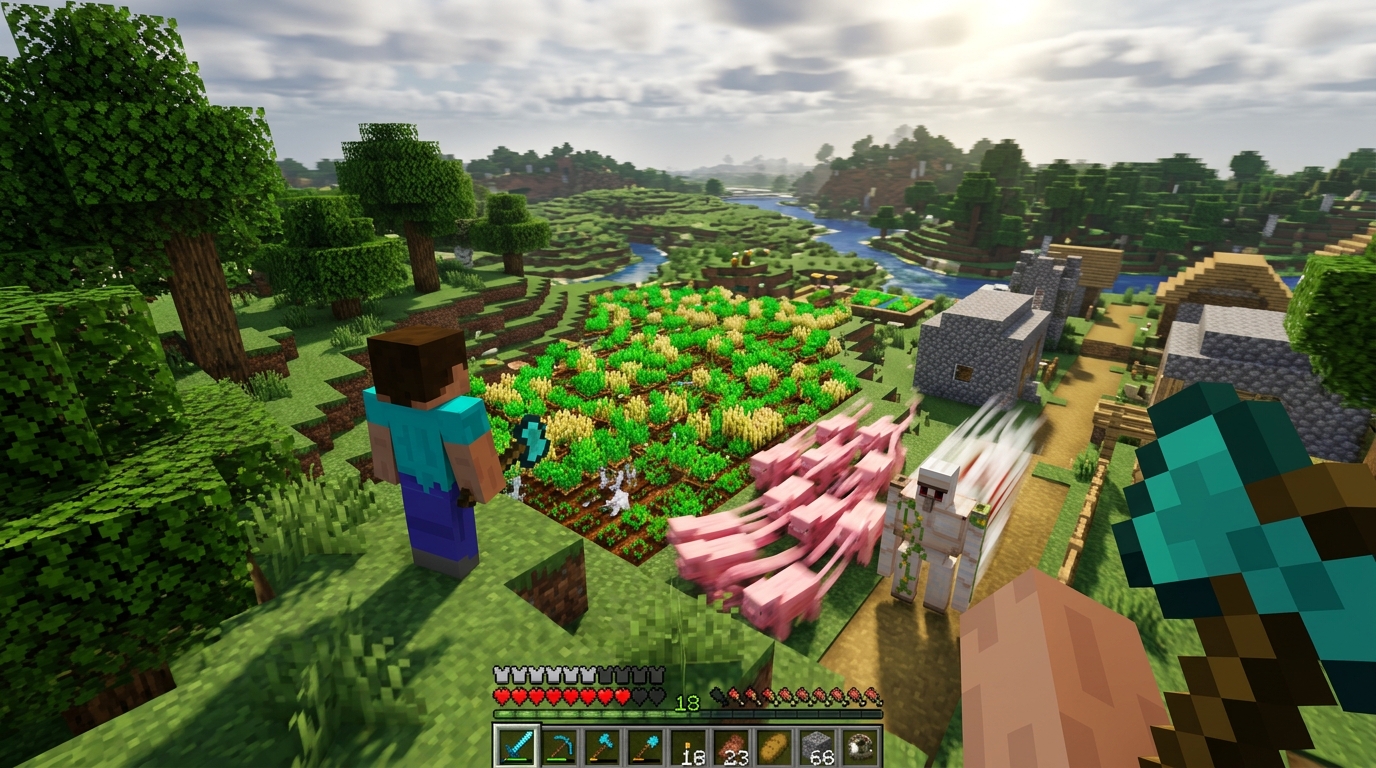
The new tick command in Java Edition is a helpful tool for anyone who wants to control the flow of time in their world. While the old random tick speed gamerule only affected things like crops and leaf decay, the /tick rate command actually speeds up or slows down the entire game engine. You can use this to make your redstone machines run in slow motion so you can see exactly how they work. It also affects how fast mobs move and how quickly items drop from your automated farms. This gives you a level of control over the game physics that was previously only possible with specialized mods.
If you are looking to maximize your efficiency, you can use /tick rate to make every process in Minecraft happen almost instantly. Setting a higher value will cause your wheat, pumpkins, and melons to grow in the blink of an eye while your furnaces smelt stacks of ore in seconds. You should be careful when pushing these limits because high speeds can put a lot of stress on your computer and cause lag. It is a perfect tool for testing out new farm designs or skipping through the boring parts of waiting for resources to pile up. You can always return the game to its standard pace by setting the rate back to twenty.
Beyond just speeding things up, you can use the freeze and step features to master complex mechanics. The /tick freeze command stops everything in its tracks, allowing you to walk around and inspect a frozen explosion or a mid-air arrow. If you want to move the game forward just a tiny bit, the step function lets you advance the world by a specific number of ticks. This is incredibly helpful for builders who want to capture the perfect screenshot of a falling block or a specific animation. These tools turn your Minecraft world into a controlled laboratory where you have the final say over how time passes.
Avoiding Game Lag And Performance Crashes
Pushing your random tick speed to the limit is tempting when you want a massive field of wheat to grow in seconds. While the default setting is only 3 on Java Edition and 1 on Bedrock, jumping straight to a value like 10,000 will likely cause your game to stutter or crash entirely. Your computer has to calculate every single block update, so high numbers put a massive strain on your processor. A safer way to experiment is by increasing the value to 100 or 200 to see how your hardware handles the extra load. This gives you a significant boost in growth speed without turning your world into an unplayable slideshow.
Finding the sweet spot for your specific device ensures you can enjoy fast-growing crops and rapid leaf decay without losing performance. If you notice your frames dropping or your character jumping around, you should immediately lower the value using the gamerule command. Many players find that a setting between 50 and 100 provides the perfect balance for survival worlds and creative projects. Keeping the number under 300 is generally a good rule of thumb for most mid-range computers and consoles. This keeps the game engine running smoothly while still giving you that satisfying, instant-growth effect for your farms and gardens. You can even apply these time-saving methods when you build an automatic kelp farm to generate resources and experience at an accelerated pace.
Speed Up Your Minecraft Crops Fast
Mastering the tick speed command is a great way for anyone looking to skip the long wait times in Minecraft. By adjusting the random tick speed with the gamerule command, you can watch your wheat fields and pumpkin patches reach full maturity in just a few seconds. This trick is perfect for gathering resources quickly or testing out new farm designs without sitting around for hours. Just remember that setting the value too high can cause a bit of lag, so try starting with a value like 100 to see immediate results. It is the most efficient way to handle tedious tasks like waiting for leaves to decay after you chop down a massive oak tree.
You can also take control of the entire game engine by experimenting with the tick rate command to speed up mob spawning and machine movements. This allows you to fast forward through the night or see how your complex redstone contraptions handle high speeds. When you are building large structures, using these commands helps you clear land or grow decorative vines instantly to perfect your aesthetic. Whether you are a survival pro or a creative builder, these utility codes save you massive amounts of time. If you find your system struggling with these changes, you might want to look into the best FPS boost mods to keep your world running smoothly. You can even use these commands to test how to build an efficient sugarcane farm by seeing how quickly the plants grow and trigger the observers. Keep these commands in your toolkit to make your next project smoother and much more productive.
Frequently Asked Questions
1. What is the command to make my crops grow faster?
You can speed up your farm by typing /gamerule randomTickSpeed followed by a number like 100 or 1000. This makes your wheat, pumpkins, and trees grow in seconds instead of minutes.
2. How do I get rid of floating leaves quickly after cutting a tree?
Increase the random tick speed to a high number like 1000 to make leaves decay almost instantly. This saves you the trouble of waiting for the forest canopy to disappear on its own.
3. Will changing the tick speed make my character move faster?
Changing the random tick speed only affects things like plant growth and fire spreading, not your walking or jumping speed. To speed up the entire game engine including your own movements, you would need to master the Minecraft teleport command instead.
4. Is there a risk to setting the tick speed too high?
Setting the number too high can put a lot of pressure on your computer and cause the game to lag. It is best to start with a moderate number like 100 and see how your game handles the extra action. If you need to switch to a safer environment for testing, you can change game mode to Creative to avoid any survival risks while you experiment.
5. How do I reset the game speed back to normal?
You can return your world to its original pace by typing /gamerule randomTickSpeed 3. This is the default setting for most versions of the game and ensures everything grows at the standard rate again.
6. Can I use this command to clear out a forest fire?
Yes, increasing the tick speed will make fire burn through wood and go out much faster than normal. This is a great way to quickly clean up a landscape after an accidental fire or a lava spill. If you want to expand your production further, you can also learn how to build a simple automatic bee farm in Minecraft to gather resources while you wait. For those looking to modify the terrain even faster, you can follow a Minecraft fill command tutorial to clear out huge areas instantly.