
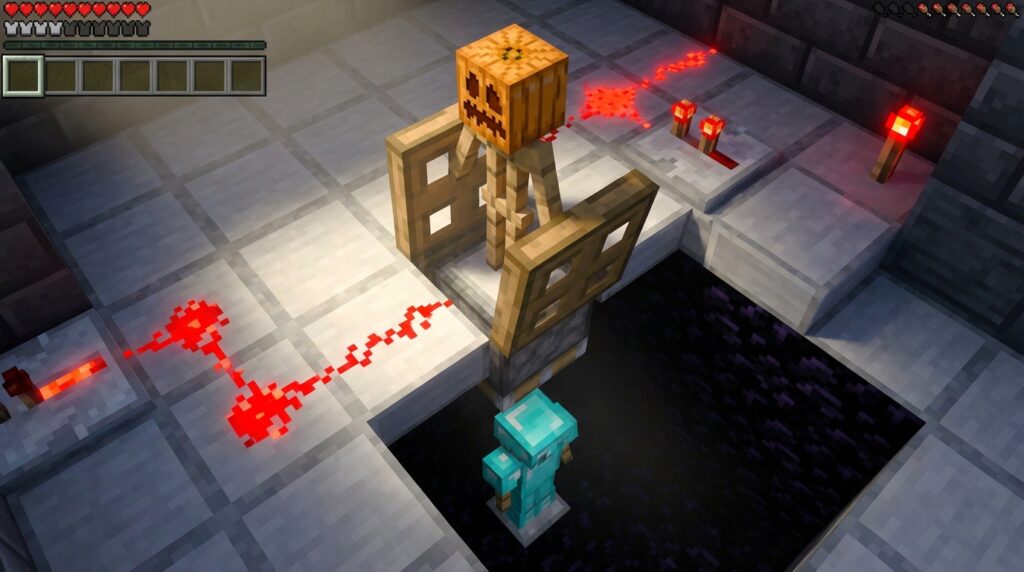
You’re coming home from a long mining trip with a pack full of diamonds, but a surprise creeper at your front door means you need your netherite gear fast. Instead of fumbling through messy chests, an automatic armor swapper redstone build lets you change your entire outfit with a single button press. These modern 1.21 designs have ditched the giant, messy wire rooms of the past for sleek, hidden machines that fit right under your floorboards.
You can choose between a stylish pop-up display that cycles your armor stands or a high-speed launcher that equips your boots and helmet instantly. Using simple items like sticky pistons, slime blocks, and obsidian, you can turn a cramped storage corner into a high-tech armory. It’s the perfect way to keep your base looking clean while making sure you’re always prepared for a raid or a trip to the End.
Key Takeaways
- Modern 1.21 armor swapper designs utilize compact redstone circuits that fit directly under floors or behind walls, eliminating the need for bulky, exposed machinery.
- Successful builds require immovable blocks like obsidian or note blocks to surround slime-based launchers, preventing the mechanism from destroying the surrounding floor.
- Precise redstone timing using repeaters and torches is essential to synchronize the trapdoor retraction with the piston launch for a seamless armor cycle.
- Players can choose between a visual pop-up display for showcasing gear sets or a high-speed dispenser launcher for instant, automatic equipping during emergencies.
Essential Redstone Components For Armor Swappers
Building a sleek armor swapper begins with gathering a few heavy-duty blocks that keep your mechanism contained. You will definitely need a Sticky Piston and a Slime Block to provide the vertical launch power required to cycle your gear. Because slime sticks to almost everything, you must surround the jump zone with Obsidian or Note Blocks. These immovable blocks ensure that your floor stays perfectly in place while the armor stands move freely. Without these specific blocks, your beautiful base floor would get pulled into the machine and break the entire circuit.
Timing is the next hurdle to clear, and it requires a clever mix of Redstone Torches and Repeaters to manage the trapdoor. You will use a wooden or iron trapdoor to hold the current armor stand in place while the others wait in a hidden chamber below. When you press your activation button, the redstone signal must retract the trapdoor at the exact moment the piston fires. This precise redstone timing allows the old stand to drop down while the new one bounces up into view. Using a few Redstone Dust trails and a single button will keep the footprint small enough to fit behind a bedroom wall.
To finish the build, make sure you have enough space for the hidden storage chamber where your alternate sets will sit. You can use different types of armor like Netherite for combat, Gold for Piglin trading, or even a set with Depth Strider for underwater exploration. Since the system is compact, you can easily hide the redstone behind decorative banners or bookshelves to keep your room looking professional. These components turn a simple storage problem into a high-tech display that makes your Minecraft base feel truly advanced.
Building The Armor Stand Pop-Up Mechanism
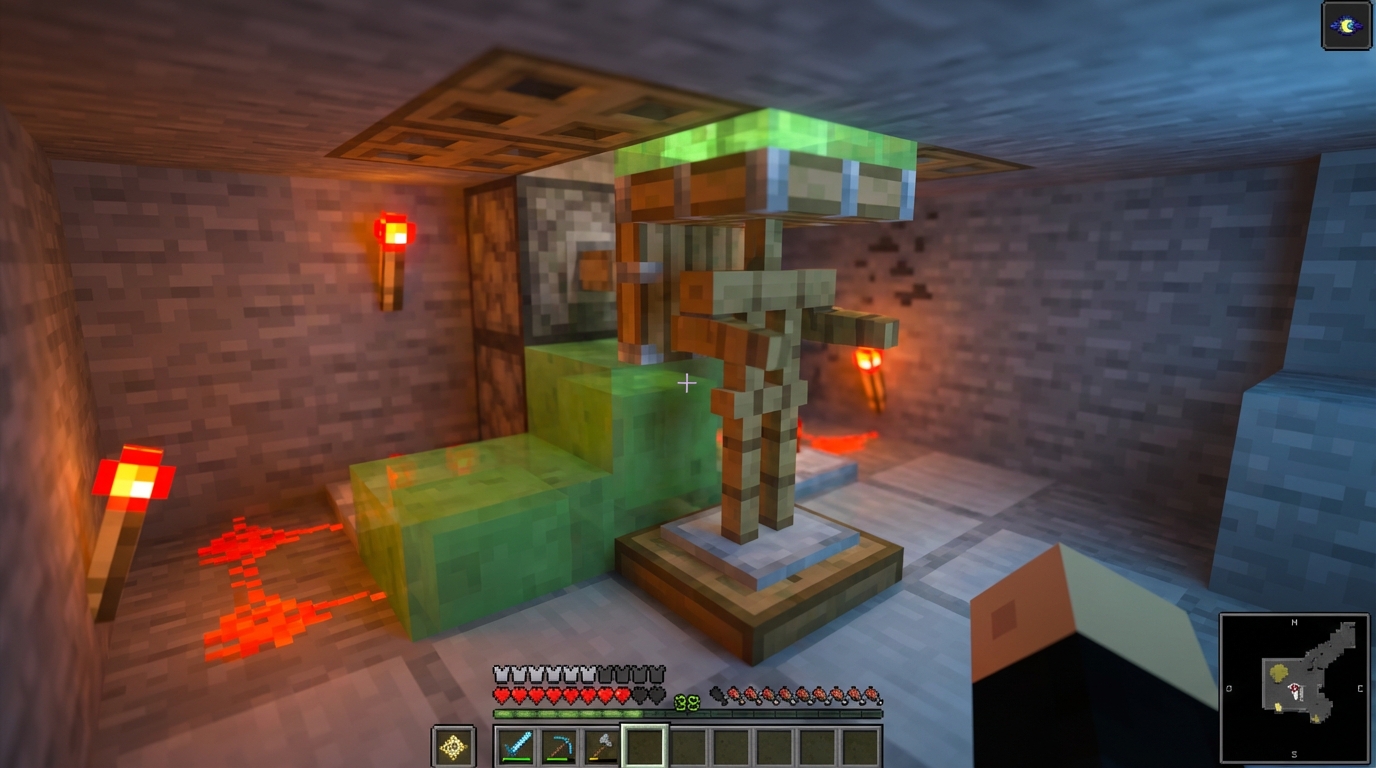
To get started, you need to dig a small hole in your base floor to house the hidden chamber where your gear will wait. Place a sticky piston at the very bottom with a slime block on top to act as your launcher. Surround the sides of this launcher with obsidian or furnaces so your floor blocks do not get pulled out of place when the system fires. This simple foundation ensures that your armor stands have a clear path to pop up whenever you press the button.
The magic of the swap happens when you wire your redstone torches to control the trapdoor and piston timing. You should place a wooden trapdoor at the floor level to catch the incoming armor stand while letting the old one fall back into the cycle. Connect a redstone torch tower behind the piston so that a single button press retracts the trapdoor just long enough for the gear to drop. This clever use of timing creates a seamless loop that looks incredibly professional in any trophy room or armory.
Finalizing the mechanism requires placing your armor stands onto the slime block and dressing them in your favorite enchanted sets. You can cycle through your netherite, diamond, and elytra sets by simply clicking the button and watching the stands bounce. Because this design is so compact, you can easily hide the redstone behind a decorated wall or under a carpet. This build transforms a plain room into a high-tech gear hub that saves you time while making your base look amazing.
Designing A Flush Walk-Through Equipping Station
Building a flush walk-through equipping station is the ultimate way to blend high-end interior design with practical survival utility. Instead of cluttering your entryway with bulky chests or exposed armor stands, you can hide your redstone components directly behind the walls of your hallway. By placing dispensers behind decorative blocks like stairs or slabs, you create a seamless look that maintains the aesthetic of your base. As you walk through your front door, a hidden pressure plate triggers the system to fire your netherite or diamond gear directly onto your character. This setup ensures you are always combat-ready without ever having to click through a single menu or inventory screen.
The redstone behind this sleek design is surprisingly simple and requires very few materials to get running in your latest world. You will need four dispensers positioned to face your walking path, along with a bit of redstone dust and a single pressure plate to act as the master switch. To keep the footprint small, you can use redstone torches to climb the signal vertically so that every piece of armor fires at the exact same time. This compact approach allows you to fit the entire mechanism into a two-block wide wall, making it perfect for narrow corridors or secret mountain bases. You can even add a splash potion dispenser at the end of the line to give yourself a speed or strength buff on your way out.
To make the station truly invisible, try using blocks that naturally hide the small hole in the face of the dispenser. Polished basalt, deepslate tiles, or even strategically placed banners can mask the machinery while still allowing the armor items to pass through. If you want to go a step further, you can wire the pressure plate to an secret piston door or a piston gate so that you gear up and exit your base in one smooth motion. This project turns a basic game mechanic into a cinematic experience every time you head out for an adventure. It is the perfect project for any player who wants their Minecraft home to feel sophisticated, automated, and incredibly efficient.
Decorating and Detailing Your Swapper
Now that your redstone is hidden and the mechanism is clicking perfectly, it is time to turn this machine into a masterpiece. You can frame your armor stand swapper with polished deepslate or quartz to give it a high-end, modern look that pops against the floor. Consider adding item frames nearby to label each gear set, such as your fire protection netherite or your best PvP enchantments for exploration. Lighting is also key, so try hiding glowstone or sea lanterns under carpets to illuminate your armor without showing any messy torches.
This automatic armor swapper is more than just a convenient tool; it is a major upgrade to the way you experience your base. Instead of fumbling through messy chests or clicking through inventory menus, you can now gear up for a raid or a mining trip with a single button press. This project bridges the gap between technical redstone and pro-level decor, proving that your utility rooms can be the most impressive part of your world. You have successfully built a system that is both functional and stylish, so take a moment to enjoy the satisfying sound of your gear swapping into place.
Frequently Asked Questions
1. What blocks do I need to stop the machine from breaking my floor?
You must use immovable blocks like Obsidian or Note Blocks to surround the slime block. These blocks stay in place when the piston fires, preventing your floor from being pulled into the mechanism. If you use regular dirt or wood, the slime will grab them and ruin your base floor.
2. How many armor stands can I fit in one swapper?
Most standard designs comfortably cycle between two and four armor stands in a small hidden chamber. You can expand the storage area below your floor if you want to swap between more sets like gold for the Nether or leather for mountain climbing. Just make sure your redstone timing is adjusted so the trapdoor stays open long enough for the rotation.
3. Why is my armor stand getting stuck in the trapdoor?
This usually happens because your redstone repeaters are set to the wrong delay. You need to time the signal so the trapdoor opens at the exact moment the sticky piston pushes the slime block upward. Try adjusting your repeaters by one or two clicks until the stand clears the gap perfectly.
4. Can I use a lever instead of a button to trigger the swap?
It is best to use a button because it sends a temporary pulse that allows the trapdoor to close again quickly. A lever stays on and keeps the mechanism open, which will leave a hole in your floor and mess up the cycle. A stone or wooden button provides the perfect timing for a single, clean armor swap.
5. Will this machine work in the latest Minecraft 1.21 update?
Yes, these modern designs are fully compatible with version 1.21 and focus on being compact and efficient. You can build these sleek machines right under your floorboards without needing the massive wire rooms used in older versions. They are perfect for keeping your base looking clean while staying ready for action. If you are upgrading your gear for these builds, you should learn how to find and use netherite upgrade smithing templates to maximize your protection.
6. What is the difference between a pop-up display and a launcher?
A pop-up display cycles your armor stands in a loop so you can see each outfit before choosing one. Once you have the right stand, you can even use armor stand posing tricks to make your display look more dynamic. A high-speed launcher is designed for pure speed and shoots your gear directly at you to help you equip it instantly. Choose the pop-up style if you want to show off your enchanted netherite and the launcher if you need to gear up for a surprise creeper attack. If you are still gathering resources for these builds, you might want to consult The Ultimate Bastion Loot Guide For Netherite And Gold to ensure every stand in your swapper is fully decked out. If you are still gathering resources for these builds, you might want to learn how to find diamonds fast to ensure every stand in your swapper is fully decked out. For more ways to improve your home, check out these Creative Furniture Design Ideas for Your Minecraft Base to complement your new armory.